

Description

Scalability
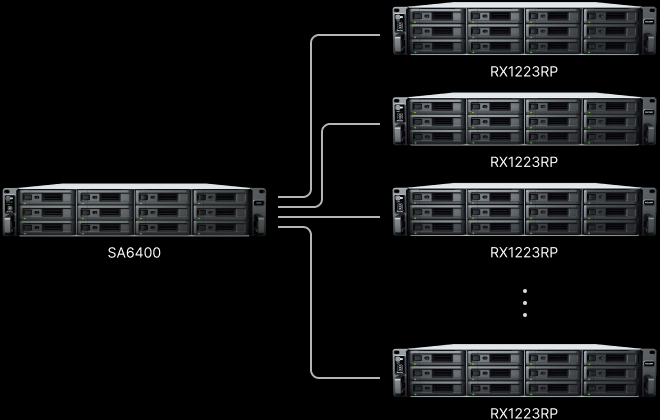
Up to 2.1 PB with 8 x RX1223RP expansion units.

CPU
Over 6,500/4,000 MB/s sequential read/write1

Networking
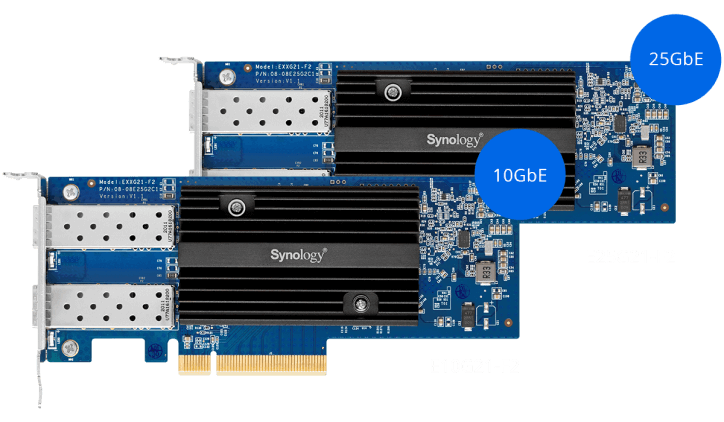
Optional 25/40GbE or Fibre Channel connectivity
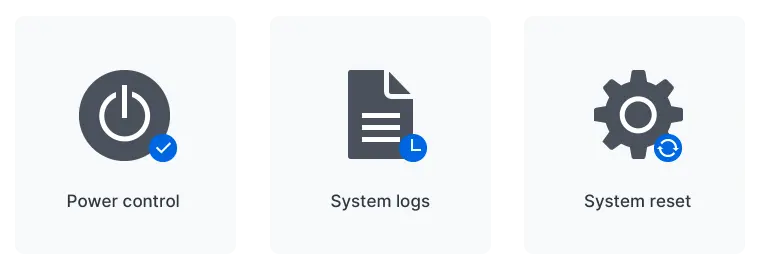
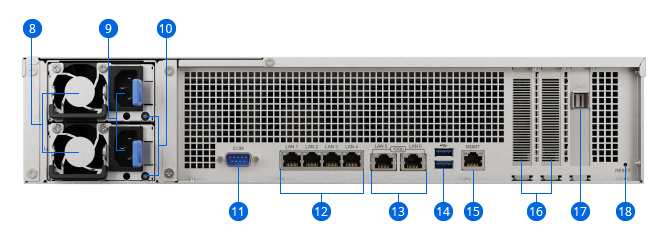
Out-of-band (OOB) management
Remotely power on/off, force restart, and reset your server, or view real-time and historical DSM system logs, even while the device is powered off or the primary network is down, using the dedicated out-of-band management console.
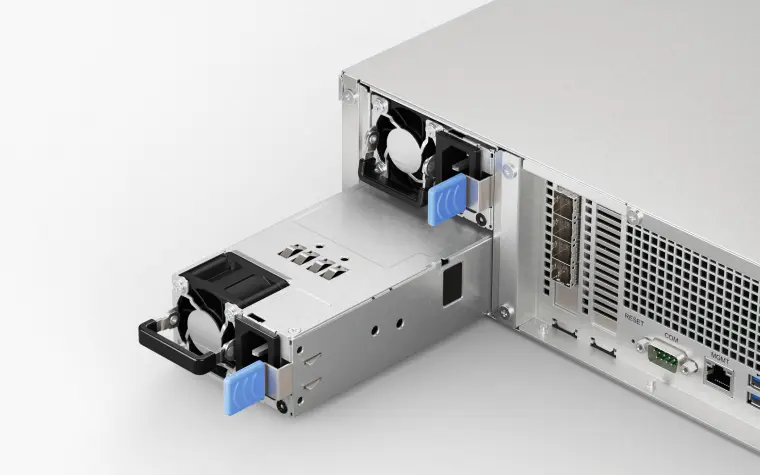
Redundant power supply
Reduce the possibility of power disruptions on a single distribution channel or power distribution unit adversely impacting data and service availability with redundant PSUs.
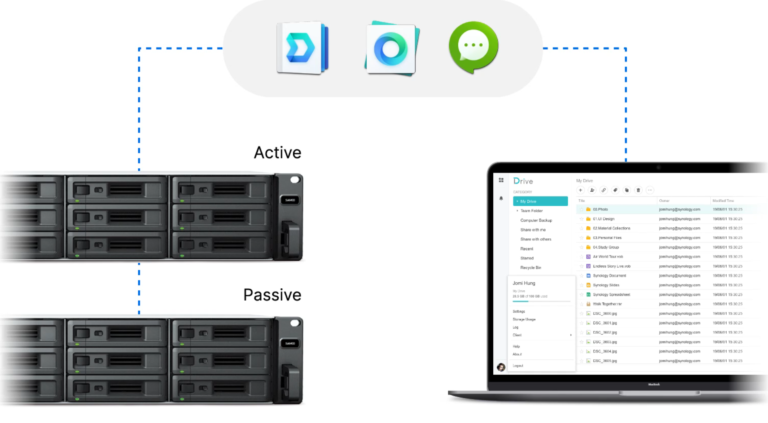
Failover Cluster
Combine two SA6400 units into a high-availability cluster with Synology High Availability to achieve full hardware and data redundancy. Minute-level failover minimizes data loss and downtime in the event of server failure, or while performing system updates or upgrades.
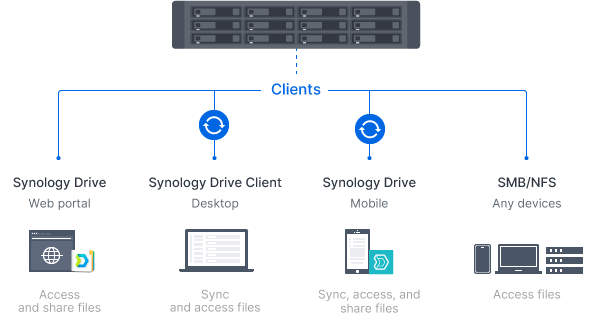
A private cloud suite for file sharing.
Empower employees across your organization to access, edit, and share corporate files securely and conveniently from desktop, mobile, or web browser platforms. Leverage powerful admin tools to track and set file permissions and control access to documents and files.Enforce company policies with Windows AD and SMB/NFS.
Configure and implement group policies for groups of users using access control lists (ACL) through Windows Active Directory/LDAP integration. Enable user access to files or folders via SMB or NFS protocols.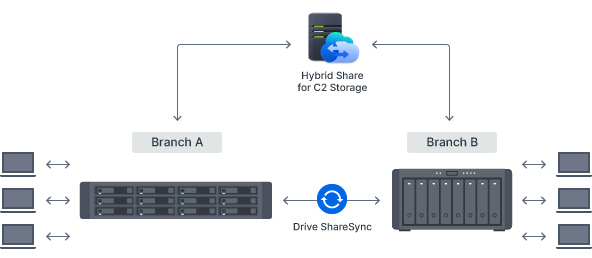
Secure site-to site file and folder syncing
Make sure branches always have up-to-date copies of crucial documents and data available locally by syncing Synology systems one or two-way using Synology Drive ShareSync. Have files updated across locations each time there is a change to efficiently keep all stakeholders on the same page.Efficient cross-site syncing through the cloud
Boost syncing speeds, cut bandwidth use and reduce your storage footprint by leveraging the powerful connectivity of our data centers. Synology Hybrid Share intelligently synchronizes data to Synology devices.4 Large or less frequently accessed files are stored on the cloud to reduce local storage requirements, while frequently used files are stored on local devices to provide users access at LAN speeds.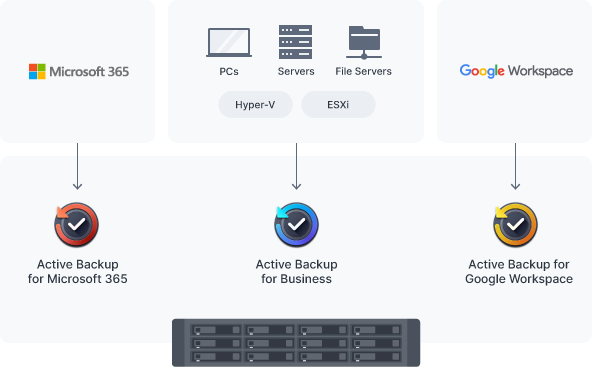
Bare-metal PC, server, and VM backup
Securely back up Windows clients and servers, Linux endpoints, Synology systems, and VMware® and Hyper-V® virtual machines to the SA6400 with Active Backup for Business. Manage them through a centralized management console and choose between bare-metal or file-level restoration. Built-in data deduplication maximizes storage efficiency. Learn moreSaaS protection with local backups
Protect Microsoft 365 and Google Workspace accounts by maintaining complete offline copies of your crucial information and configurations with Active Backup for Microsoft 365 and Active Backup for Google Workspace.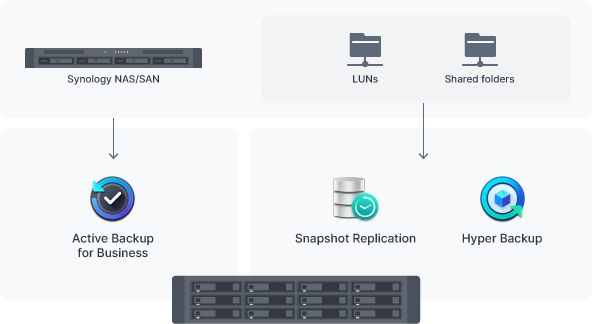
Backup destination for shares and LUNs
Use Hyper Backup to back up files, LUNs, installed applications, and system configurations from tens or hundreds of Synology servers to your SA6400. Set and forget backup tasks with regular schedules, enhance security with fine-grained user permissions and encryption, reduce backup sizes with built-in deduplication, and restore data flexibly with multi-versioning.
Snapshot Replication enables configurable point-in-time snapshots of shared folders and LUNs with an RPO as low as 5 minutes and recovery within seconds.
Bare-metal backup for Synology systems
Manage bare-metal backups of all your Synology servers from a single centralized console on the SA6400. Leverage built-in deduplication technology to reduce backup sizes while multi-versioning provides flexible restoration options.
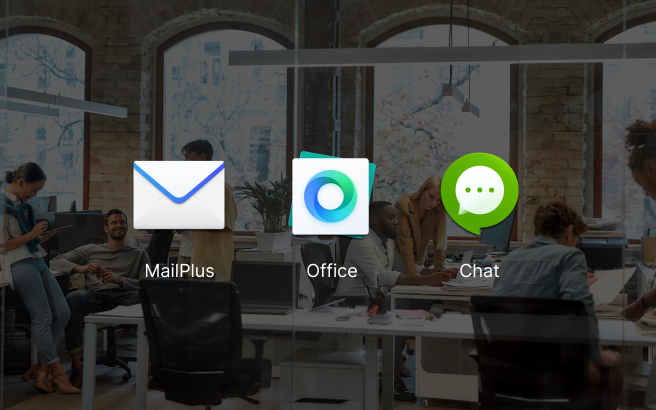
Collaboration in a secure cloud
Create and edit documents, spreadsheets, and slides together with your whole team in real time. Easily migrate existing documents from other platforms and take ownership of your files in a secure private cloud.
Synology’s private cloud mail solution provides ease of use, full data ownership, and robust data security with a low total cost of ownership thanks to its perpetual licensing model.
Keep teams connected through encrypted one-on-one private chats, public channels, and group conversations. Efficiently organize discussions with bookmarks, searchable hashtags, and chatbots.
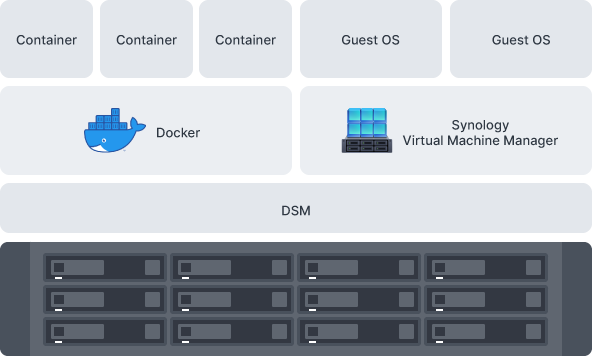
Application test environment
Run Docker containers and VMs on SA6400 using Docker and Synology Virtual Machine Manager (VMM)5 — a hypervisor for virtualized versions of Windows®, Linux®, and DSM — to safely test and evaluate applications.
Virtual DSM serves as a test environment for package updates or to add an additional layer of security between applications, systems, and data.

Central Management System (CMS)
Conveniently manage your fleet of Synology systems from a centralized console.

Active Insight
A powerful cloud-based platform for monitoring performance, backup status, login activity and performing lightweight management tasks.
Synology has got you covered
The SA6400 is backed by Synology's 5-year limited warranty,6 including technical support and hardware replacement services to maximize your return on investment and ensure continued high-quality performance.