
Neytri Site

Synology HD6500 60 bays Nas

Synology HD6500 60 bays NAS Scalable High-Density Storage for Multi-Petabyte Applications

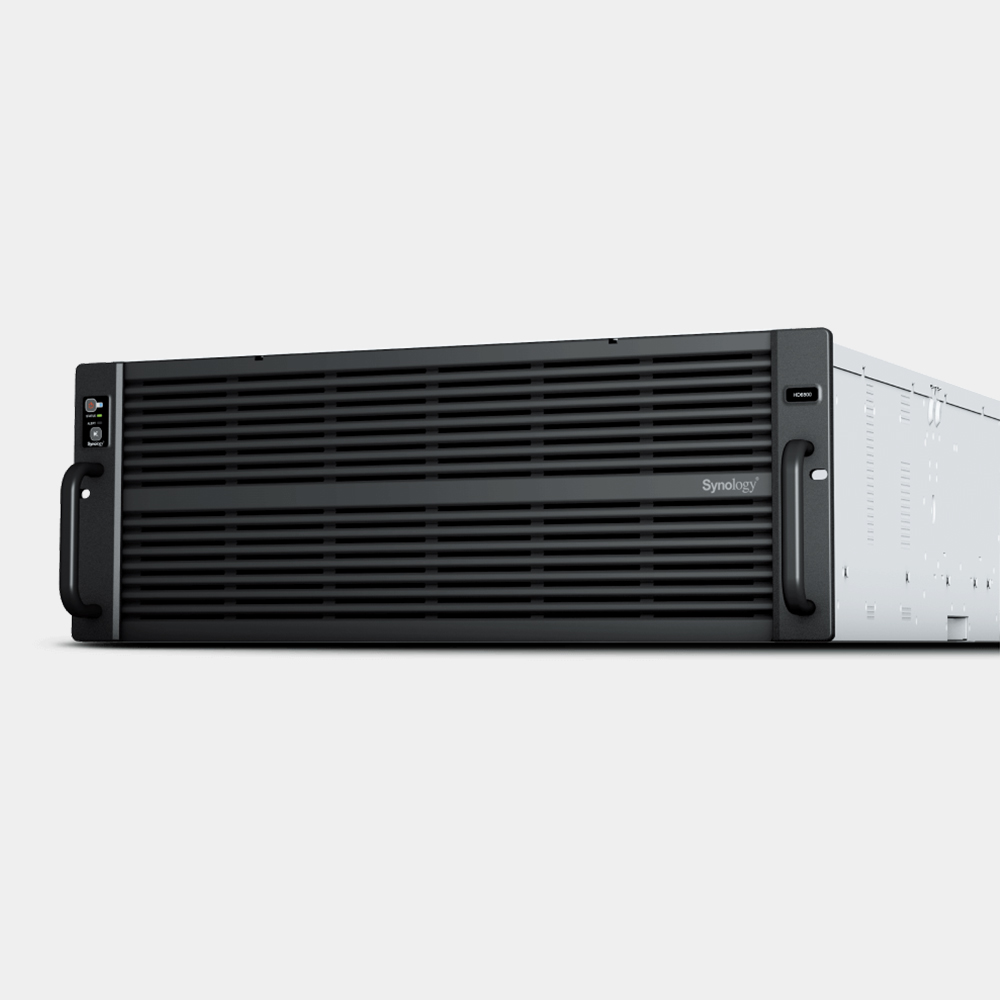
The Synology HD6500 is a high-density, 60-bay NAS server designed for large-scale, multi-petabyte storage needs. Perfect for enterprises, it offers scalability, exceptional performance and advanced data protection, making it ideal for demanding workloads and data-intensive applications.

Estimated Delivery :
Jan 23 - Jan 26
Free Shipping & Returns :
On orders above $79

More payment Options

Description

All the space you will ever need

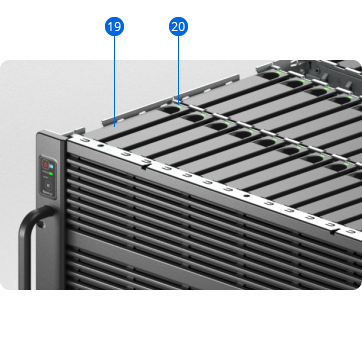
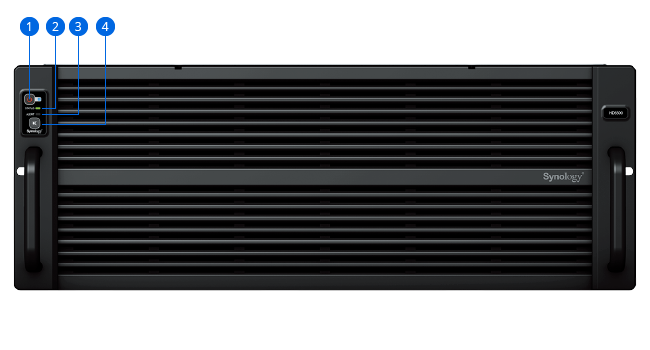
With 60 bays in a 4U rackmount enclosure and support for up to 300 drives after expansion, the Synology HD6500 is the ideal high-density storage solution for large-scale warm and cold storage applications such as full system backups, video post-production, and large surveillance deployments.

CPU

2 x 10-core Intel Xeon Silver

Throughput

Over 6,688/6,662MB/s sequential read/write1

Memory

64 GB DDR4 ECC, expandable to 512 GB

Scalability

Expand to 300 drives with four RX6022sas expansion units
Consistent performance at five times the size

The HD6500 is designed to scale up to 5 times in capacity with four additional RX6022sas expansion units. SAS multipath-enabled connectivity provides up to double the typical performance together and increased redundancy.

Built for high reliability

The HD6500 is built to keep mission-critical data and services accessible, so that businesses can continue to perform even when disaster strikes.


Out-of-band (OOB) management

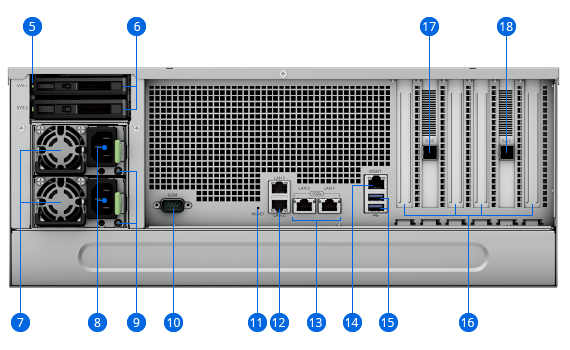
Simplify troubleshooting by managing powered-down devices remotely and accessing critical logs through a dedicated interface.
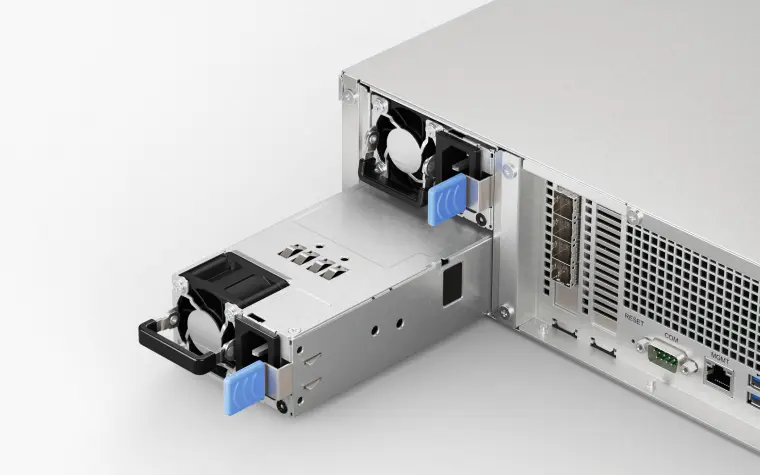
Dual power supply

Reduce the possibility of power disruptions on a single distribution channel or PDU adversely impacting data and service availability with redundant PSUs.

High-reliability expansion architecture

Redundant SAS links prevent single points of failure from affecting other expansion units, ensuring higher data and service availability.
Powerful networking options

The HD6500 supports a large variety of networking interfaces, protocols, and configurations, whether you need fast sequential transfer, support for simultaneous connections, or high network redundancy.
Built-in fast connectivity

Three Gigabit Ethernet and two 10GbE RJ-45 ports allow for rapid transfer speeds right out of the box.

Mix and match network ports

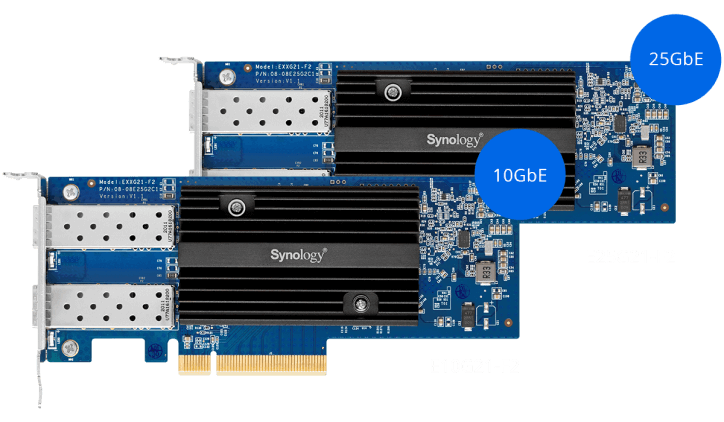
Add extra 10GbE SFP+/RJ-45, 25GbE SFP28, or Fibre Channel ports in varying configurations by leveraging the four expansion slots.2

Failover and network balancing

Bond multiple network interfaces with Link Aggregation to enable automatic network failover and load balancing.

Consolidate your data storage

Back up your backup solutions, bring all your files together in one place, or bring distributed surveillance deployments under central control.

Massive file server

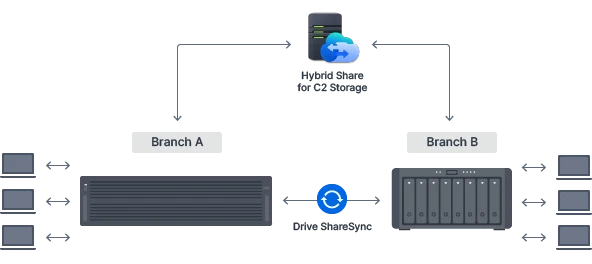
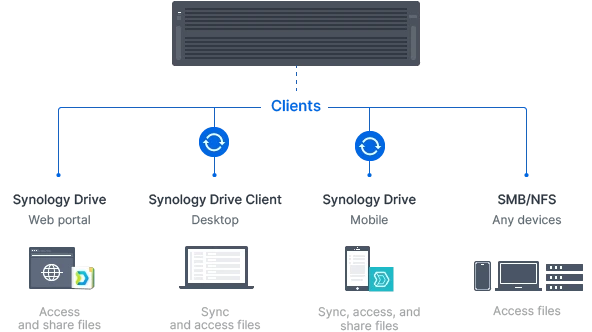
Host and retrieve massive files from extensive archives whenever needed. Provide user friendly access and set up powerful cross-site syncing.


Central backup server

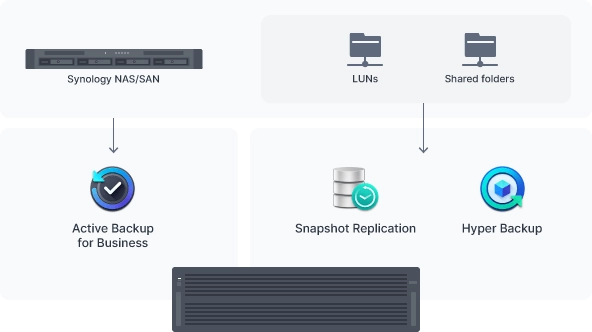
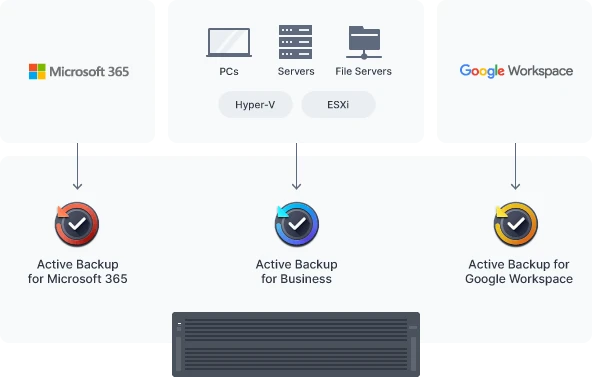
Protect large numbers of PCs, servers, Synology systems, and hypervisors, or back up your backup servers with a central storage solution.


Main surveillance storage

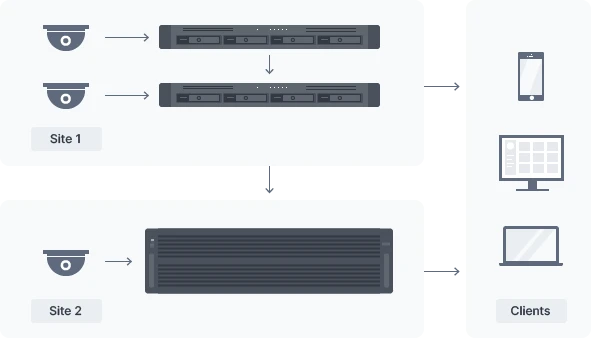
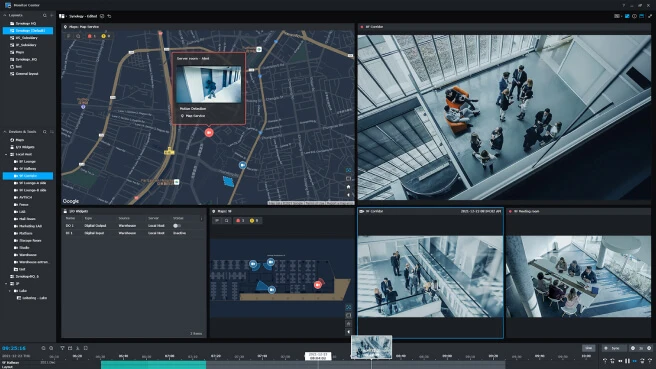
Manage distributed deployments of hundreds of local recording servers and thousands of IP cameras centrally.


Get more with DiskStation Manager

Stay on top of your fleet and keep it in optimal condition with our cloud and DSM-based monitoring and management solutions.

Central Management System

Conveniently manage your fleet of Synology NAS from a centralized console.

Security

Secure data with comprehensive built-in security tools to protect your devices against evolving threats.

Synology High Availability

Seamless transition between clustered servers in the event of a server failure to minimize the impact on applications.

Synology has you covered

The HD6500 is backed by Synology's 5-year limited warranty,5 including technical support and hardware replacement services to maximize your return on investment and ensure continued high-quality performance.
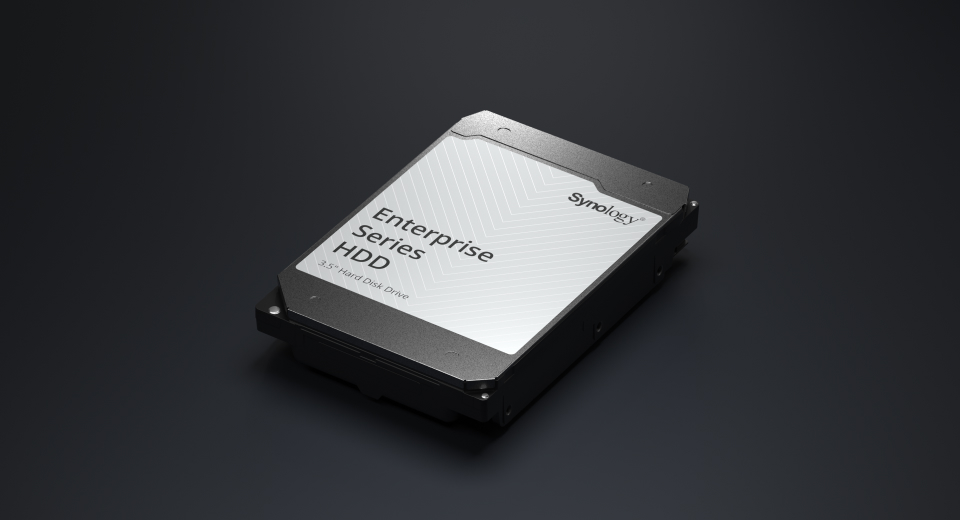
Performance backed by Synology drives

Leverage high sustained performance and reliability with enterprise-grade drives with built-in data protection designed for Synology systems.

HDD
Enterprise Series 3.5″ SAS

Hardware Specs

Hardware Specifications
CPUCPU ModelIntel Xeon Silver 4210R
CPU Quantity2
CPU Core10
CPU Architecture64-bit
CPU Frequency2.4 (base) / 3.2 (turbo) GHz
Hardware Encryption EngineYes
MemorySystem Memory64 GB DDR4 ECC RDIMM
Memory Module Pre-installed64 GB (32 GB x 2)
Total Memory Slots16
Maximum Memory Capacity512 GB (32 GB x 16)
Notes
  • Synology reserves the right to replace memory modules with the same or higher frequency based on supplier's product life cycle status. Rest assured that the compatibility and stability have been strictly verified with the same benchmark to ensure identical performance.
  • Please select Synology memory modules for optimum compatibility and reliability. Synology will not provide complete product warranty or technical support if non-Synology memory modules are used for memory expansion.
  • For more information about the recommended memory configurations, please check the Hardware Installation Guide of your Synology product.
StorageDrive Bays60
Maximum Drive Bays with Expansion Unit300 (RX6022sas x 4)
SAS multipathingYes
Compatible Drive Type* (See all supported drives)
  • 3.5" SAS HDD
  • 2.5" SATA SSD
Hot Swappable Drive*Yes
Notes
  • Synology only guarantees full functionality, reliability, and performance for Synology drives listed on the compatibility list. The use of non-validated components may limit certain functionality and result in data loss and system instability.
  • Two Synology SATA SSDs are included in the accessory pack for use as system drives.
  • To install 2.5" SATA SSDs, optional 2.5" drive trays (R5) must be purchased separately.
External PortsRJ-45 1GbE LAN Port2
RJ-45 10GbE LAN Port2
Out-of-Band Management LAN Port1
Max. Number of LAN Ports15
USB 3.2 Gen 1 Port*2
Expansion Port2
Expansion Port TypeMini-SAS HD
Notes
  • The USB 3.0 standard was renamed to USB 3.2 Gen 1 by the USB Implementers Forum (USB-IF) in 2019.
  • Besides the 5 built-in LAN ports, up to 10 additional LAN ports can be made available by installing compatible network interface cards (sold separately).
PCIePCIe Expansion
  • 2 x Gen3 x16 slot (x16 link)
  • 2 x Gen3 x8 slots (x8 link)
AppearanceForm Factor (RU)4U
Size (Height x Width x Depth)176 mm x 482 mm x 1020 mm
Weight37.9 kg
Rack Installation Support*4-post 19" rack (Synology Rail Kit - RKS-03)
OthersSystem Fan80 mm x 80 mm x 4 pcs
Fan Speed Mode
  • Full-Speed Mode
  • Cool Mode
  • Quiet Mode
Easy Replacement System FanYes
Power RecoveryYes
Noise Level*60.8 dB(A)
Scheduled Power On / OffYes
Wake on LAN / WANYes
Power Supply Unit / Adapter1600 watts
Redundant Power SupplyYes
AC Input Power Voltage200V to 240V AC
Power Frequency50/60 Hz, Single Phase
Power Consumption1025.2 watts (Access)
418 watts (HDD Hibernation)
British Thermal Unit3495.93 BTU/hr (Access)
1425.38 BTU/hr (HDD Hibernation)
Notes
  • Noise Level Testing Environment: Fully loaded with Synology HAS5300-8T hard drive(s) in the idle state. Two G.R.A.S. Type 40AE microphones, each set up 1 meter away from the Synology NAS at the front and rear. Background noise: 16.49-17.51 dB(A); Temperature: 24.25-25.75˚C; Humidity: 58.2-61.8%
  • Power consumption is measured when it is fully loaded with Synology 8TB HAS5300-8T hard drive(s).
TemperatureOperating Temperature0°C to 35°C (32°F to 95°F)
Storage Temperature-20°C to 60°C (-5°F to 140°F)
Relative Humidity5% to 95% RH
Certification
  • FCC
  • CE
  • BSMI
  • VCCI
  • RCM
  • UKCA
  • EAC
  • KC
  • UL
Warranty5 Years
NotesThe warranty period starts from the purchase date as stated on your purchase receipt.
EnvironmentRoHS Compliant
Packaging Content
  • Main Unit X 1
  • Synology SATA SSD X 2
  • Rail Kit Sliding: RKS-03 X 1
  • Accessory Pack X 1
  • AC Power Cord X 2
  • Quick Installation Guide X 1
Optional Accessories
  • DDR4 ECC RDIMM: D4ER01-32G
  • Expansion Units: RX6022sas
  • Enterprise Series 3.5" SAS HDD: HAS5300 Series
  • Enterprise Series 2.5" SATA SSD: SAT5200 Series
  • 25GbE Network Interface Card: E25G30-F2
  • 10GbE Network Interface Card: E10G21-F2/E10G30-T2
NotesTo install 2.5" SATA SSDs, optional 2.5" drive trays (R5) must be purchased separately.

Software Specs

DSM Specifications
Storage ManagementMaximum Single Volume Size
  • 1 PB (for RAID 6 groups only)
  • 200 TB
Maximum Internal Volume Number256
SSD Read/Write Cache (Determining cache size) Yes
RAID GroupYes
Supported RAID Type
  • Basic
  • JBOD
  • RAID 0
  • RAID 1
  • RAID 5
  • RAID 6
  • RAID 10
RAID Migration
  • Basic to RAID 1
  • Basic to RAID 5
  • RAID 1 to RAID 5
  • RAID 5 to RAID 6
Volume Expansion with Larger HDDs
  • RAID 1
  • RAID 5
  • RAID 6
  • RAID 10
Volume Expansion by Adding a HDD
  • JBOD
  • RAID 5
  • RAID 6
Global Hot Spare Supported RAID Type
  • RAID 1
  • RAID 5
  • RAID 6
  • RAID 10
Notes
  • SSD cache support requires DSM 7.1.1-42962 Update 4 or later versions.
  • When Peta Volume is enabled, validated services and packages are required. Please refer to this article for more information on limitations.
File SystemInternal Drives
  • Btrfs
External Drives
  • Btrfs
  • ext4
  • ext3
  • FAT
  • NTFS
  • HFS+
  • exFAT
NotesexFAT Access can be installed for free from Package Center in DSM 7.0. In DSM 6.2 or earlier versions, exFAT Access needs to be purchased in Package Center.
File ServicesFile Protocol
  • SMB
  • AFP
  • NFS
  • FTP
  • WebDAV
  • Rsync
Maximum Concurrent SMB/AFP/FTP Connections10,000
Maximum Concurrent SMB/AFP/FTP Connections (with RAM expansion)10,000
Windows Access Control List (ACL) IntegrationYes
NFS Kerberos AuthenticationYes
Notes
  • Regarding data concerning tests with RAM expansion, all memory slots are installed with the maximum capacity of supported RAM.
  • The testing standard was based on the maximum number of concurrent connections supported by this model. During the testing, 25% of the connections were used to transfer files concurrently. The transfer process guaranteed that the connections were not interrupted; the minimum transfer speed was not guaranteed.
Account & Shared FolderMaximum Local User Accounts16,000
Maximum Local Groups512
Maximum Shared Folder512
Maximum Shared Folder Sync Tasks32
Hybrid ShareHybrid Share Folder Number30
Hyper BackupData & Folder BackupYes
Entire System BackupYes
NotesFull-system backup requires DSM 7.2 or later.
High AvailabilitySynology High AvailabilityYes
Log CenterSyslog Events per Second6,000
VirtualizationVMware ESXi 7.0 and VAAIYes
Windows Server 2016Yes
Windows Server 2019Yes
Windows Server 2022Yes
Citrix ReadyYes
OpenStackYes
General SpecificationsSupported ProtocolsSMB1 (CIFS), SMB2, SMB3, NFSv3, NFSv4, NFSv4.1, NFS Kerberized sessions, iSCSI, Fibre Channel, HTTP, HTTPs, FTP, SNMP, LDAP, CalDAV
Supported Browsers
  • Chrome
  • Firefox
  • Edge
  • Safari
Supported LanguageEnglish, Deutsch, Français, Italiano, Español, Dansk, Norsk, Svenska, Nederlands, Русский, Polski, Magyar, Português do Brasil, Português Europeu, Türkçe, Český, ภาษาไทย, 日本語, 한국어, 繁體中文, 简体中文
NotesFor an updated list of supported browser versions, check the DSM Technical Specifications.
Add-on Packages view the complete package list
Antivirus by McAfee (Trial)Yes
Central Management SystemYes
Synology ChatSuggested Concurrent Users500
Notes
  • Measured with simulated users, each with an average record of 20,000 messages, emojis, or stickers. The required server response time is below ten seconds.
  • For tested models with expandable memory, the maximum amount of RAM was installed.
SAN ManagerMaximum iSCSI Target Number256
Maximum LUN512
LUN Clone/Snapshot, Windows ODXYes
Synology MailPlus / MailPlus ServerFree Email Accounts5 (Additional accounts require purchase of licenses)
Suggested Maximum Users20,000
Suggested Concurrent Users4,000
Maximum Server Performance3,523,133 emails per day, approx. 103.7 GB
Notes
  • For tested models with expandable memory, the maximum amount of RAM was installed.
  • The performance of the mail system will slightly decrease in high-availability mode due to data synchronization between the two servers.
  • Functions that were enabled in all of the tests above: anti-spam, anti-virus, DNSBL, greylist, content scan, full-text search (English only).
Snapshot ReplicationMaximum Snapshots per Shared Folder1,024
Maximum of System Snapshots65,536
Surveillance StationDefault Licenses2 (Additional cameras require purchase of licenses)
Suggested Maximum IP Cameras and Total FPS (H.264)
  • 720p: 500 channels, 15000 FPS
  • 1080p: 450 channels, 4500 FPS
  • 3M: 200 channels, 4500 FPS
  • 5M: 180 channels, 2700 FPS
  • 4K: 150 channels, 1650 FPS
Suggested Maximum IP Cameras and Total FPS (H.265)
  • 720p: 650 channels, 19500 FPS
  • 1080p: 600 channels, 6000 FPS
  • 3M: 500 channels, 5000 FPS
  • 5M: 200 channels, 4600 FPS
  • 4K: 150 channels, 3900 FPS
Notes
  • Surveillance Station 9.1.3 or above is required to support the maximum IP cameras and FPS figures listed.
  • Use NVR Selector to quickly find a suitable model based on your requirements.
  • The maximum number of camera stream outputs is 2 times the suggested maximum number of IP cameras.
  • Performance figures are obtained from testing conducted with the device fully populated with drives (5 volumes with 12 drives each volume) under a continuous recording setup. Actual system capabilities may vary based on configuration, drive performance, enabled features, and the presence of additional workloads.
  • Tested using RAID 5 configuration with the maximum number of supported SAS drives.
Synology DriveRecommended Number of Concurrent Sync Clients2,000 (the number of connections that can be maintained when the recommended number of hosted files was reached)
Recommended Number of Hosted Files100,000,000 (applies to files indexed or hosted by Synology Drive. For file access through other standard protocols, refer to the File Services section above)
Notes
  • Exceeding the recommended numbers above will not block application operations, but may result in longer response time.
  • For tested models with expandable memory, the maximum amount of RAM was installed.
  • Btrfs file system and non-encrypted shared folders were used during the aforementioned testing.
Synology OfficeSuggested Maximum Users17,500
Suggested Concurrent Users7,000
Notes
  • Multiple files were opened for testing and each file was edited by 30 users simultaneously.
  • For tested models with expandable memory, the maximum amount of RAM was installed.
  • Client performance may affect maximum simultaneous editing users. Client PCs used for testing: Intel Core i3-3220 / 8GB RAM
Virtual Machine ManagerRecommended Virtual Machine Instances40 (Learn more)
Recommended Virtual DSM Number (Licenses required) 40 (including 1 Free License)
NotesThe specifications vary depending on system configuration and memory size.
VPN ServerMaximum Connections60
X