Neytri Site

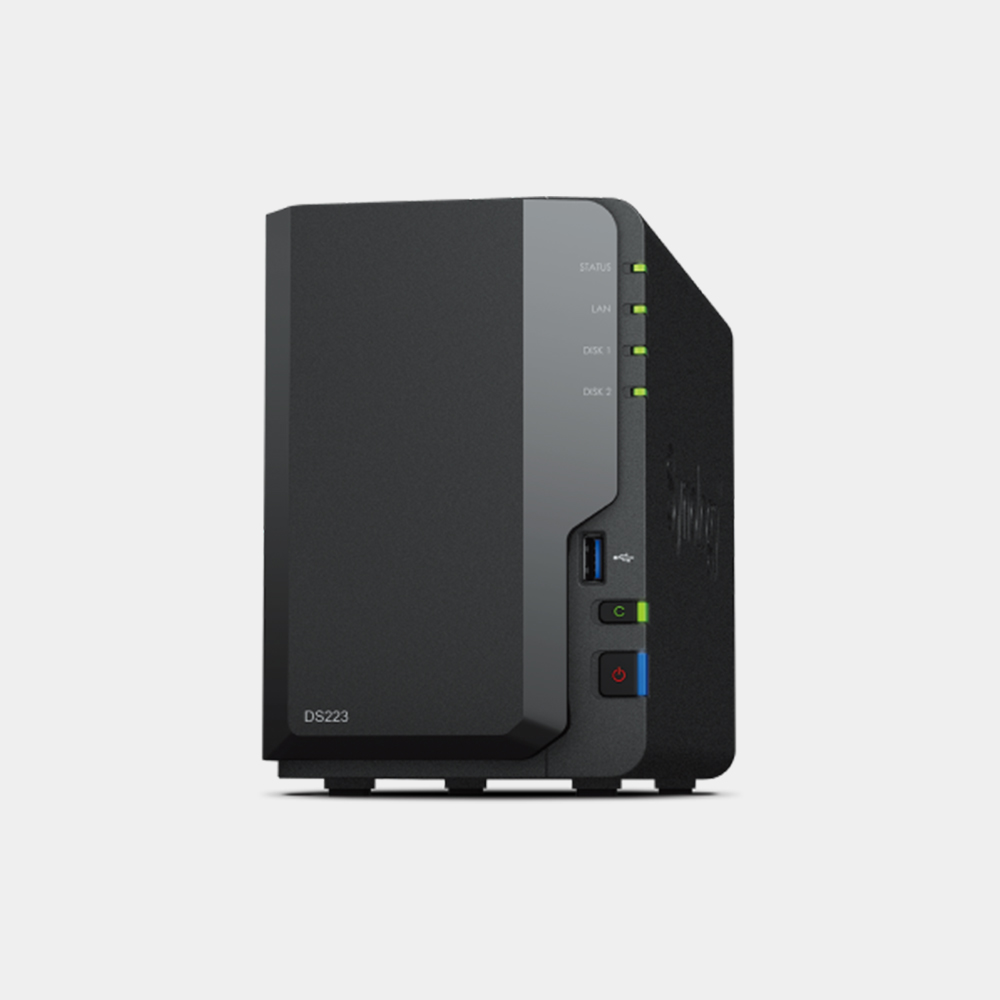
Synology Nas DS223 2 bays

Synology Diskstation DS223 2 Bay NAS Efficient Data Management for Home and Small Offices

The Synology DiskStation DS223 is a versatile 2-bay NAS designed to streamline data storage and management. Ideal for homes and small offices, it offers secure file sharing, intuitive backups, and multimedia streaming, all in a compact and energy-efficient design.

Estimated Delivery :
Jan 23 - Jan 26
Free Shipping & Returns :
On orders above $79

More payment Options

Description

Get your data Under Control

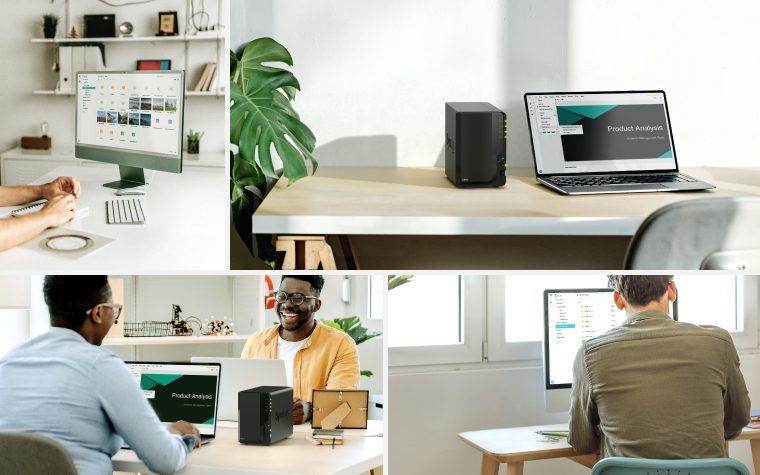
Consolidate files from various sources into your own private cloud. The DS223 keeps the process simple and offers everything you need to keep your data safe and organized.

Secure Private Cloud

Powerful functionality in a tiny package, with room for 10GbE and dual NVMe drives.

Simple Backup Hub

Create spare copies of your documents and media for easy recovery.

Efficient Operation

Keep energy consumption low with just 17.3 W during operation.

Private Cloud Made Easy

Import data from PCs, Macs, and other external storage devices at a 14% faster rate and keep all your devices in sync for smoother file management.

Access from any Device

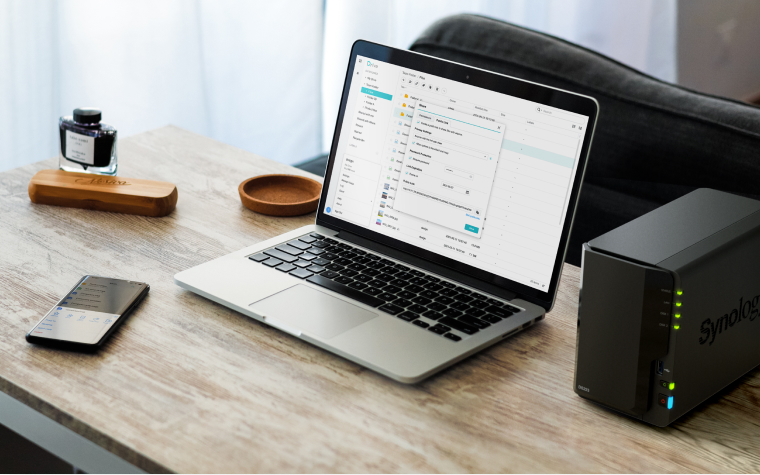
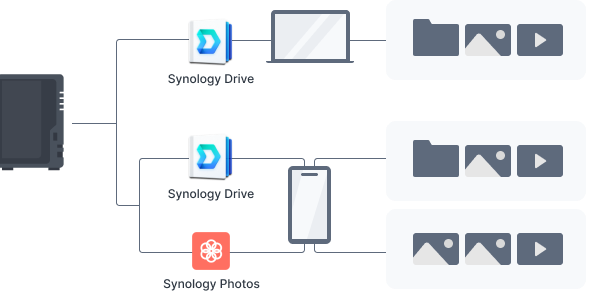
Get to your files from PC, Mac, Linux, Chromebook, Android, iOS, or any device equipped with a browser. Keep your data private or easily share it using secure links.

Save Storage Space

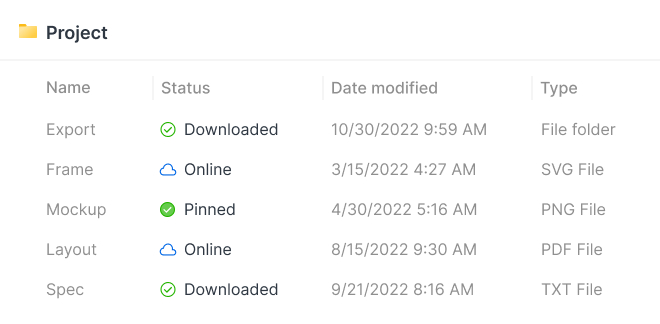
Enable on-demand mode to download files onto your Windows PC or Mac only when you access them. Pin the most important ones or the ones you access more frequently for convenient offline accessibility.

Integrate with the Cloud

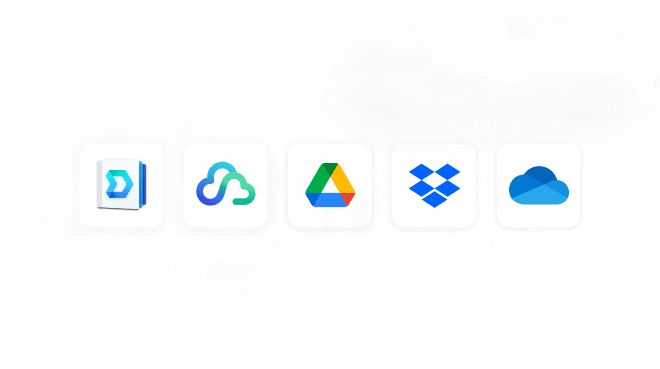
Sync files between your private cloud and public cloud services, including Google Drive, Dropbox, and Microsoft OneDrive. Retain local copies of your cloud data for centralized management and data ownership.

Sync Across Locations

Say goodbye to long waits while downloading or uploading files. Continuously synchronize content between two Synology devices to enable fast local access at any location, no matter the amount of data.

Your data is in safe Hands

Not all data storage is created equal. Synology DiskStation Manager (DSM), the operating system that powers the DS223, leverages the efficient Btrfs file system to protect your data against data corruption and roll back any accidental or malicious changes thanks to the snapshot technology.

Versatile NAS for the modern Home

Configure your DS223 to best suit your needs thanks to a host of complete solutions designed for every scenario.

Photo Management

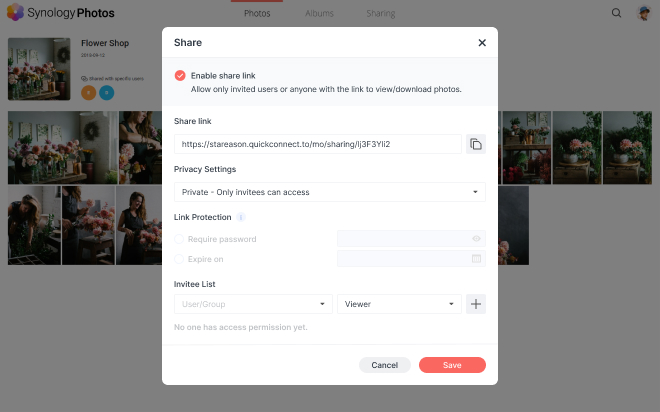
Store and organize photos, albums, and other media with smart and intuitive features. Leverage privacy-focused options to share media securely with friends, family, or colleagues.

30%

faster photo indexing

Data Protection

Safeguard digital memories and important projects with intuitive backup tools.
Automatic Media Backup

Have photos and videos taken on mobile devices automatically uploaded to your private cloud with Synology Photos or Synology Drive.

Protection Against Cyberattacks

Leverage Synology Drive to protect data against ransomware attacks or accidental deletion with real-time or scheduled backups of your computer folders.

Video Surveillance

Protect what matters with intuitive monitoring solutions for your home.
Wide Compatibility

Connect up to 20 IP cameras by choosing from a wide selection of over 8,300 validated models or ONVIF devices.

Universal Access

Watch over your property the way your find most convenient. Watch camera streams through web browsers, desktop clients, or mobile apps. Get notified of events and take immediate action.

Protect your data Platform

Add an extra layer of protection to your files with one of the built-in, license-free solutions available to back up your DS223.
Flexible Backups

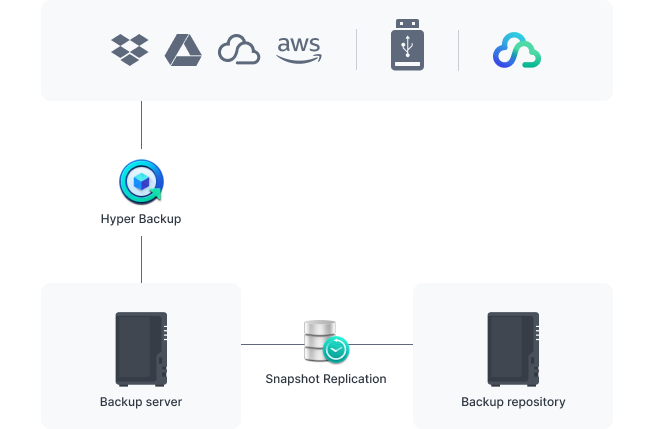
Back up your entire NAS, including system settings and applications, or select specific folders. Secure all backup data to multiple destinations.

Near-continuous Protection

Take NAS protection to the next level by creating point-in-time copies of shared folders that can be replicated elsewhere and rapidly restored.

Works best with Synology Drives

Leverage high sustained performance and reliability with well-engineered drives designed specially for Synology systems.

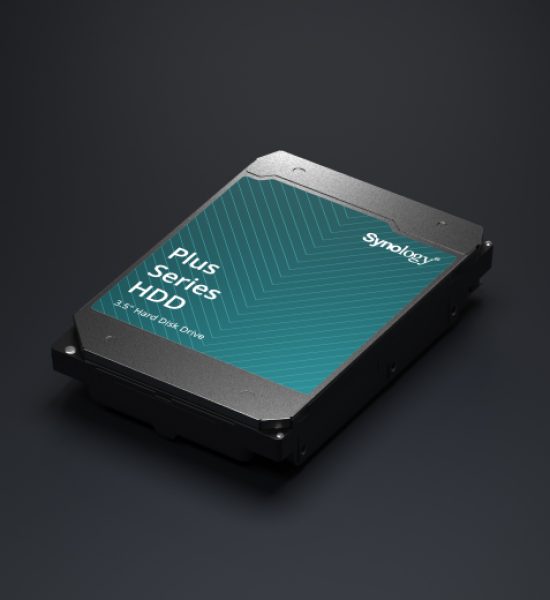
HDD
Plus Series 3.5″ SATA
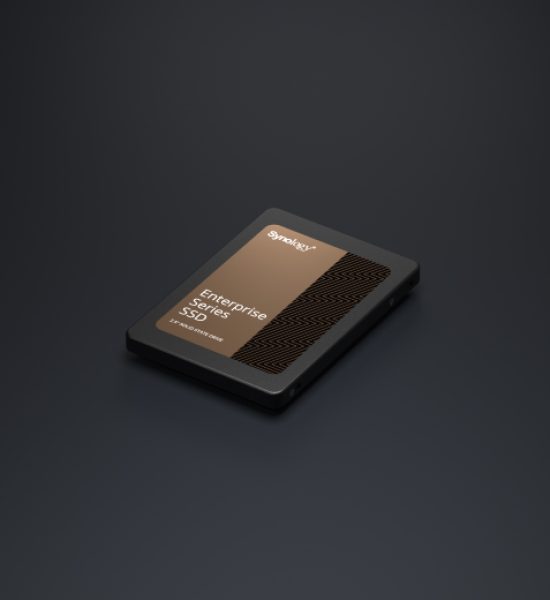
SSD
Enterprise Series 2.5″ SATA
plus-hat3310
enterprise-sat-img

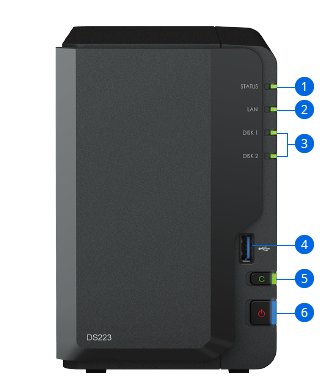
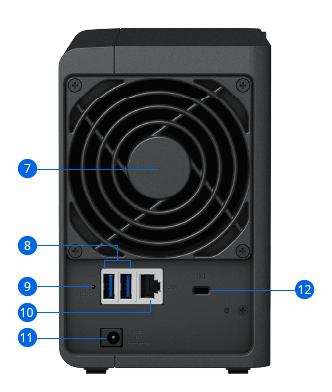
DiskStation DS223

Hardware Specs

Hardware Specifications
CPUCPU ModelRealtek RTD1619B
CPU Quantity1
CPU Core4
CPU Architecture64-bit
CPU Frequency1.7 GHz
Hardware Encryption EngineYES
MemorySystem Memory2 GB DDR4 non-ECC
NotesSynology reserves the right to replace memory modules with the same or higher frequency based on supplier's product life cycle status. Rest assured that the compatibility and stability have been strictly verified with the same benchmark to ensure identical performance.
StorageDrive Bays2
Compatible Drive Type*
  • 3.5" SATA HDD
  • 2.5" SATA SSD
Hot Swappable Drive*YES
Notes"Compatible drive type" indicates drives that have been tested to be compatible with Synology products. This term does not indicate the maximum connection speed of each drive bay.
External PortsRJ-45 1GbE LAN Port1
USB 3.2 Gen 1 Port*3
USB CopyYES
Notes
  • This device's 1GbE LAN ports have a maximum transmission unit (MTU) size of 1,500 bytes.
  • The USB 3.0 standard was renamed to USB 3.2 Gen 1 by the USB Implementers Forum (USB-IF) in 2019.
AppearanceSize (Height x Width x Depth)165 mm x 108 mm x 232.7 mm
Weight1.28 kg
OthersSystem Fan92 mm x 92 mm x 1 pcs
Fan Speed Mode
  • Full-Speed Mode
  • Cool Mode
  • Quiet Mode
Brightness Adjustable Front LED IndicatorsYES
Power RecoveryYES
Noise Level*14.6 dB(A)
Scheduled Power On / OffYES
Wake on LAN / WANYES
Power Supply Unit / Adapter60 watts
AC Input Power Voltage100V to 240V AC
Power Frequency50/60 Hz, Single Phase
Power Consumption17.343 watts (Access)
4.08 watts (HDD Hibernation)
British Thermal Unit59.19 BTU/hr (Access)
13.92 BTU/hr (HDD Hibernation)
Notes
  • For more information on how power consumption is measured, refer to this article.
  • Noise testing was conducted with the Synology system fully installed with Synology SATA SSDs and in an idle state. Two G.R.A.S. type 40AE microphones were placed at a 1 m distance from the front and rear of the device. Background noise: 16.49-17.51 dB(A); Temperature: 24.25-25.75˚C; Humidity: 58.2-61.8%.
TemperatureOperating Temperature0°C to 40°C (32°F to 104°F)
Storage Temperature-20°C to 60°C (-5°F to 140°F)
Relative Humidity5% to 95% RH
Certification
  • FCC
  • CE
  • BSMI
  • VCCI
  • RCM
  • UKCA
  • EAC
  • CCC
  • KC
Warranty2-year hardware warranty
Notes
  • The warranty period starts from the purchase date as stated on your purchase receipt.
  • In the event that a valid receipt of purchase of Product or Product invoice is not presented, or is apparently erroneous or falsified, the Warranty Period for the presented Product shall commence from the manufacturing date in accordance with Synology's internal records.
EnvironmentRoHS Compliant
Packaging Content
  • Main Unit X 1
  • Accessory Pack X 1
  • AC Power Adapter X 1
  • AC Power Cord X 1
  • RJ-45 LAN Cable X 1
  • Quick Installation Guide X 1
Optional Accessories
  • Enterprise Series 3.5" SATA HDD: HAT5300 Series
  • Plus Series 3.5" SATA HDD: HAT3300 Series
  • Enterprise Series 2.5" SATA SSD: SAT5200 Series

Software Specs

DSM Specifications
Storage ManagementMaximum Single Volume Size108 TB
Maximum Internal Volume Number64
SSD TRIMYES
Supported RAID Type
  • Synology Hybrid RAID
  • Basic
  • JBOD
  • RAID 0
  • RAID 1
RAID Migration
  • Basic to RAID 1
Volume Expansion with Larger HDDs
  • Synology Hybrid RAID
  • RAID 1
Volume Expansion by Adding a HDD
  • Synology Hybrid RAID
  • JBOD
  • RAID 5
Global Hot Spare Supported RAID Type
  • Synology Hybrid RAID
Notes
  • Usable capacity for each volume will be lower than the maximum volume size and is dependent on the filesystem and the amount of system metadata stored.
  • Actual maximum storage pool and volume sizes depend on drive sizes used, the number of drive bays available, and the RAID configuration.
File SystemInternal Drives
  • Btrfs
  • ext4
External Drives
  • Btrfs
  • ext4
  • ext3
  • FAT
  • NTFS
  • HFS+
  • exFAT
File ServicesFile Protocol
  • SMB
  • AFP
  • NFS
  • FTP
  • WebDAV
  • Rsync
Maximum Concurrent SMB/AFP/FTP Connections200
Windows Access Control List (ACL) IntegrationYES
NFS Kerberos AuthenticationYES
NotesThe testing standard was based on the maximum number of concurrent connections supported by this model. During the testing, 25% of the connections were used to transfer files concurrently. The transfer process guaranteed that the connections were not interrupted; the minimum transfer speed was not guaranteed.
Account & Shared FolderMaximum Local User Accounts1,024
Maximum Local Groups256
Maximum Shared Folder256
Maximum Shared Folder Sync Tasks4
Hybrid ShareHybrid Share Folder Number5
Hyper BackupData & Folder BackupYES
Log CenterSyslog Events per Second400
General SpecificationsSupported ProtocolsSMB1 (CIFS), SMB2, SMB3, NFSv3, NFSv4, NFSv4.1, NFS Kerberized sessions, iSCSI, HTTP, HTTPs, FTP, SNMP, LDAP, CalDAV
Supported Browsers
  • Chrome
  • Firefox
  • Edge
  • Safari
Supported LanguageEnglish, Deutsch, Français, Italiano, Español, Dansk, Norsk, Svenska, Nederlands, Русский, Polski, Magyar, Português do Brasil, Português Europeu, Türkçe, Český, ภาษาไทย, 日本語, 한국어, 繁體中文, 简体中文
NotesFor an updated list of supported browser versions, check the DSM Technical Specifications.
Add-on Packages view the complete package list
Synology ChatYES
Download StationMaximum Concurrent Download Tasks80
SAN ManagerMaximum iSCSI Target Number10
Maximum LUN10
LUN Clone/Snapshot, Windows ODXYES
Media ServerDLNA ComplianceYES
Synology PhotosFacial RecognitionYES
Snapshot ReplicationMaximum Snapshots per Shared Folder256
Maximum of System Snapshots4,096
Surveillance StationDefault Licenses2 (Additional cameras require purchase of licenses)
Suggested Maximum IP Cameras and Total FPS (H.264)
  • 720p: 20 channels, 600 FPS
  • 1080p: 20 channels, 460 FPS
  • 3M: 20 channels, 300 FPS
  • 5M: 15 channels, 150 FPS
  • 4K: 11 channels, 110 FPS
Suggested Maximum IP Cameras and Total FPS (H.265)
  • 720p: 20 channels, 600 FPS
  • 1080p: 20 channels, 500 FPS
  • 3M: 20 channels, 400 FPS
  • 5M: 20 channels, 350 FPS
  • 4K: 20 channels, 200 FPS
Notes
  • Performance figures are obtained from testing conducted with the device fully populated with drives, with their default memory configuration, and under a continuous recording setup. Actual system capabilities may vary based on configuration, drive performance, enabled features, and the presence of additional workloads.
  • Use NVR Selector to quickly find a suitable model based on your requirements.
  • The maximum number of camera stream outputs is 2 times the suggested maximum number of IP cameras.
Synology DriveRecommended Number of Concurrent Sync Clients200 (the number of connections that can be maintained when the recommended number of hosted files was reached)
Recommended Number of Hosted Files500,000 (applies to files indexed or hosted by Synology Drive. For file access through other standard protocols, refer to the File Services section above)
Notes
  • Exceeding the recommended numbers above will not block application operations, but may result in longer response time.
  • Btrfs file system and non-encrypted shared folders were used during the aforementioned testing.
Synology OfficeSuggested Maximum Users500
Suggested Concurrent Users200
Notes
  • Multiple files were opened for testing and each file was edited by 30 users simultaneously.
  • Client performance may affect maximum simultaneous editing users. Client PCs used for testing: Intel Core i3-3220 / 8GB RAM
Video StationYES
VPN ServerMaximum Connections20
X

Your Shopping cart

Close