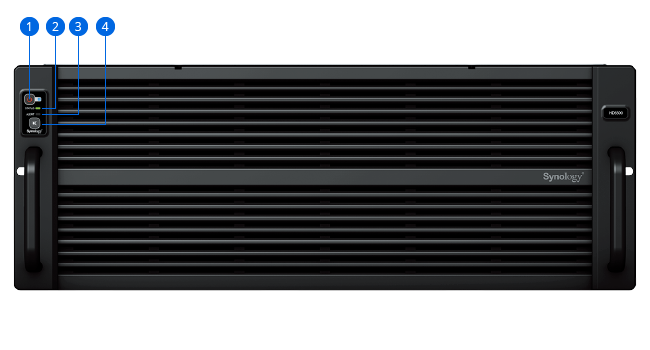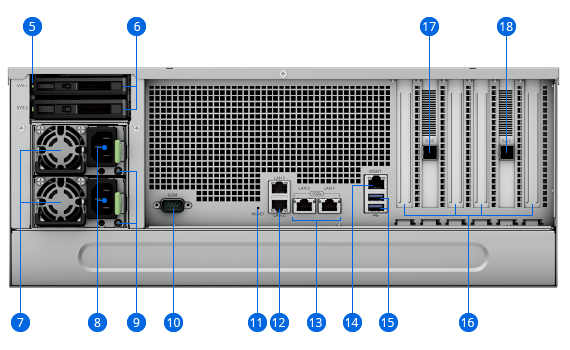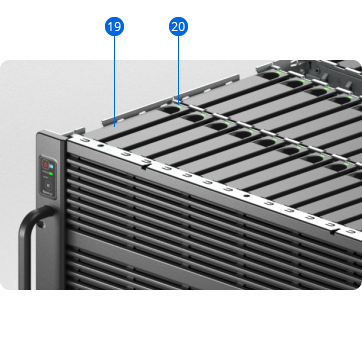
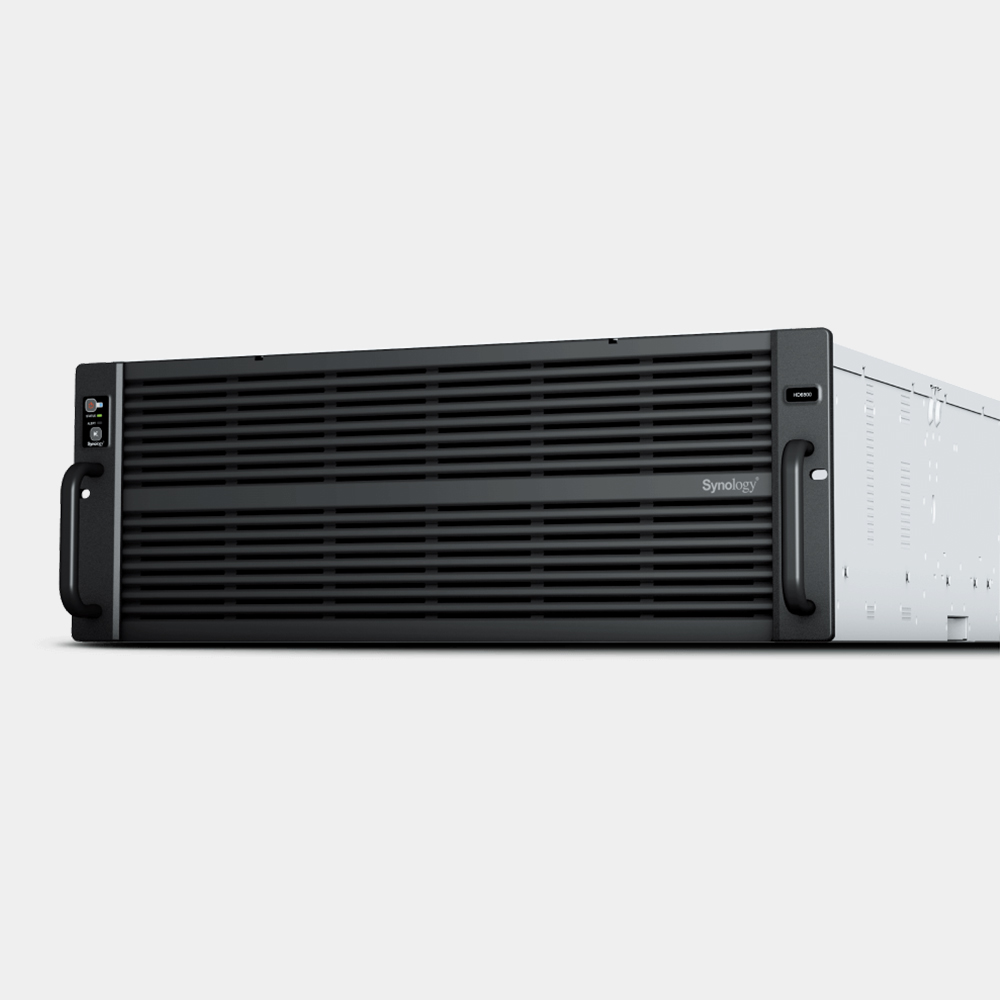


Description

CPU
2 x 10-core Intel Xeon Silver

Throughput
Over 6,688/6,662MB/s sequential read/write1

Memory
64 GB DDR4 ECC, expandable to 512 GB

Scalability
Expand to 300 drives with four RX6022sas expansion units
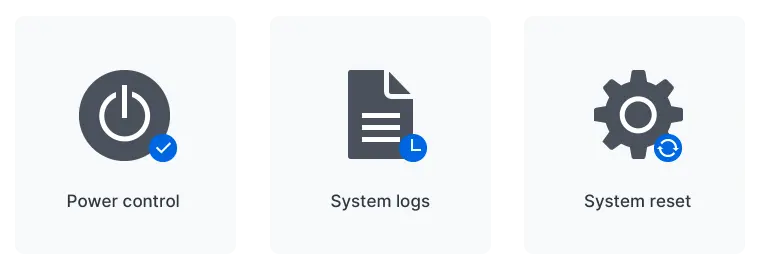
Out-of-band (OOB) management
Simplify troubleshooting by managing powered-down devices remotely and accessing critical logs through a dedicated interface.
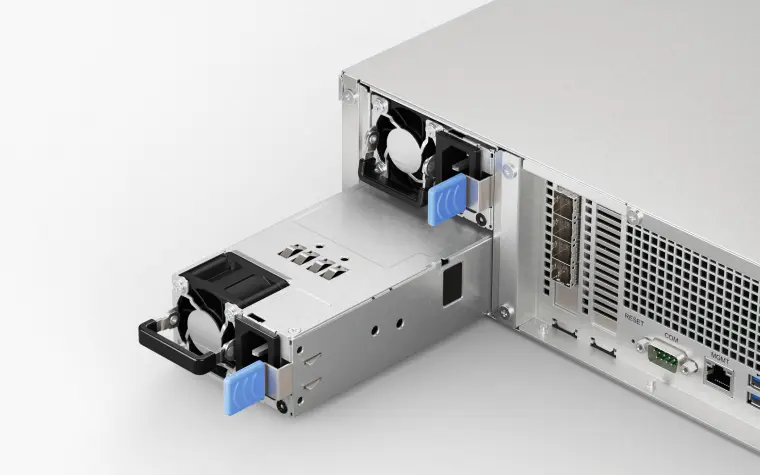
Dual power supply
Reduce the possibility of power disruptions on a single distribution channel or PDU adversely impacting data and service availability with redundant PSUs.

High-reliability expansion architecture
Redundant SAS links prevent single points of failure from affecting other expansion units, ensuring higher data and service availability.
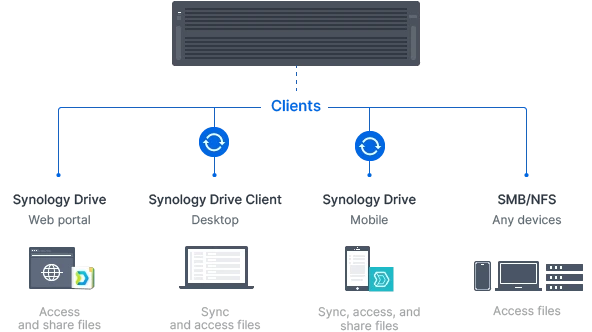
A private cloud suite for file sharing
Synology Drive is a private cloud management and access solution that enables remote data access, synchronization, on-demand file restoration, and backup via desktop and mobile applications. Sync data between different platforms and devices, and access your organization’s files through mobile apps, desktop clients, and a browser-based interface. Set granular file and folder access and sharing permissions. Maintain a full overview of file activities and track file share settings changes with detailed records in the advanced Synology Drive Admin Console. Learn moreCross-site syncing
Leverage SMB or NFS shares to provide efficient access to company files over the local network or VPN. Manage data access privileges with access control lists (ACL) though Active Directory/LDAP integration and protect files against tampering or removal with built-in snapshot technology.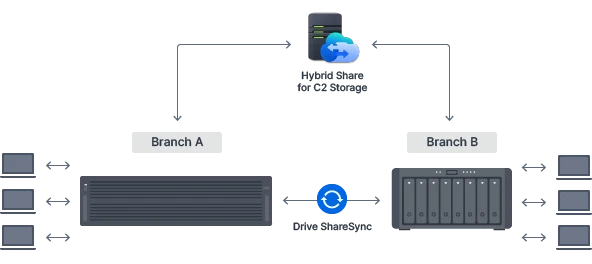
Secure site-to site file and folder syncing
Make sure branches or teams always have up-to-date copies of crucial documents and data available locally by syncing folders one or two-way using Synology Drive ShareSync. Let your Synology systems update files across locations each time there is a change to efficiently keep all stakeholders on the same page.Efficient cross-site syncing through the cloud
Securely synchronize files and data from the HD6500 to Synology systems across different sites or offices, and back, by leveraging hybrid cloud technology with Synology Hybrid Share.3 Synchronize large sets of data to the cloud, and leverage the powerful bandwidth of our data centers to stream requested files to local NAS deployed at branch offices, no matter their size. Frequently used files are kept stored on local NAS to provide users access at LAN speeds and can also be pinned manually to prevent them from being removed from the cache.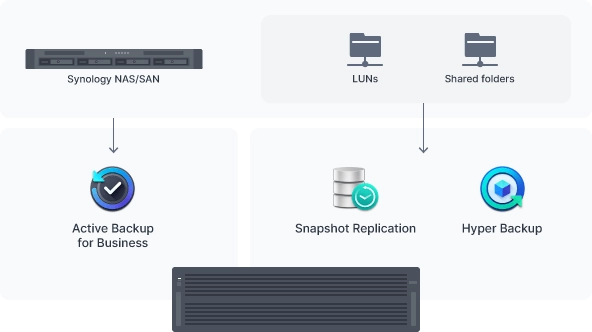
Backup destination for shares and LUNs
Use Hyper Backup to back up files, LUNs, installed applications, and system configurations from tens or hundreds of Synology servers to your HD6500. Set and forget backup tasks with regular schedules, enhance security with fine-grained user permissions and encryption, reduce backup sizes with built-in deduplication, and restore data flexibly with multi-versioning. Snapshot Replication enables configurable point-in-time snapshots of shared folders and LUNs with an RPO as low as 5 minutes and recovery within seconds.Bare-metal backup for Synology NAS
Centrally manage bare-metal backups of all your Synology servers from a single centralized console on your HD6500. Leverage built-in deduplication technology to reduce backup sizes and multi-versioning to allow flexible restoration.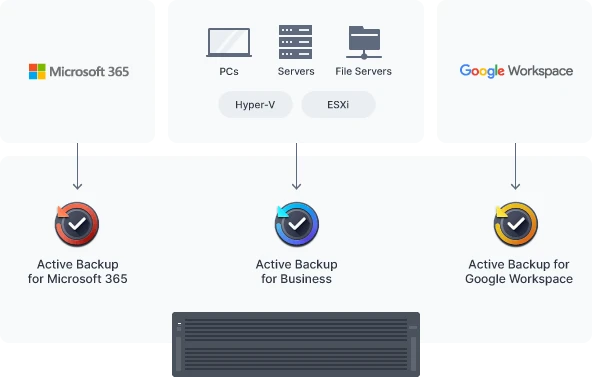
Bare-metal PC, server, and VM backup
Securely back up Windows clients and servers, Linux endpoints, Synology servers, and VMware® and Hyper-V® virtual machines to the HD6500 with Active Backup for Business. Coordinate all data protection from the centralized management console and choose between bare-metal or file-level restoration, while leveraging built-in deduplication technology to reduce backup sizes. Learn moreSaaS protection with local backups
Protect full Microsoft 365 and Google Workspace accounts by maintaining complete offline copies of your crucial information and configurations with Active Backup for Microsoft 365 and Active Backup for Google Workspace.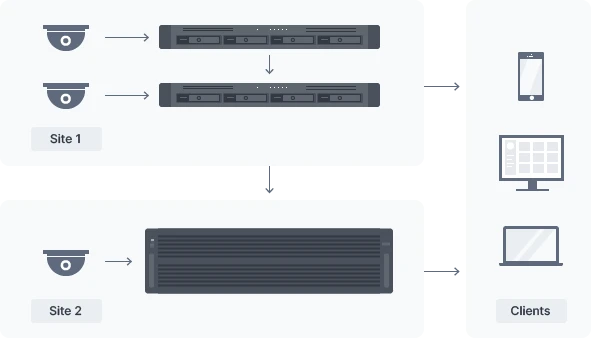
Flexible scaling and expansion
Connect up to 650 IP cameras4 from a selection of over 8,300 validated models to the HD6500 itself, or connect hundreds more by adding recording servers at the edge. Easily add storage as deployments grow.Central management and recording
Manage up hundreds of Synology NAS or NVR recording servers from one host, store copies of all or some recordings centrally, and monitor all streams from one interface with Surveillance Station Centralized Management System.Secure and private video storage
Admins can set detailed rules for who can check live streams or review recordings and footage can be protected against unauthorized access with industry-standard AES-256 encryption.Anywhere access with multiple clients
Watch and analyze live streams or recordings from web browsers, desktop clients, or mobile apps.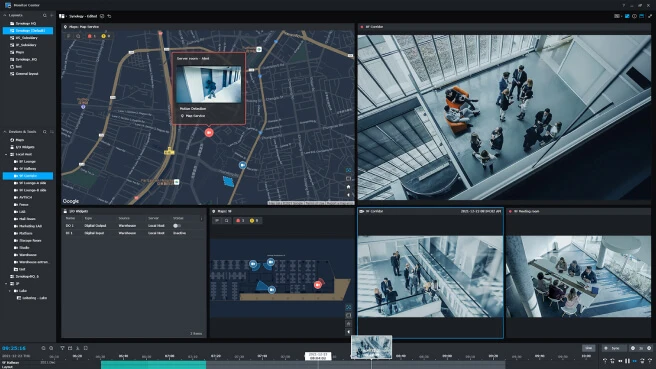
Batch and automated camera deployment
Automatically locate cameras within a set IP range or configure units in batch by importing spreadsheets and conveniently replicate settings to new cameras.Instant event streaming on multi-location maps
Preview footage directly on multi-floor, multi-location maps when events are detected to stay on top of your deployment, with Google Maps and OpenStreetMap integration to make geographically spread-out deployments easier to monitor.Dual recording, locally and to the cloud
Record each camera’s footage to two Synology servers simultaneously for added redundancy and instant access — for instance, to a smaller device at the edge and a larger central management server. Stream feeds directly to the cloud with C2 Backup for Surveillance for fast access and convenient sharing whenever you need evidence.3Event detection and smart analytics options
Add support for deep learning-powered algorithms and detection profiles such as intrusion detection, license plate recognition, congestion alerts, and face recognition by joining Deep Learning NVR servers to your deployment.
Central Management System
Conveniently manage your fleet of Synology NAS from a centralized console.
Security
Secure data with comprehensive built-in security tools to protect your devices against evolving threats.

Synology High Availability
Seamless transition between clustered servers in the event of a server failure to minimize the impact on applications.
Synology has you covered
The HD6500 is backed by Synology's 5-year limited warranty,5 including technical support and hardware replacement services to maximize your return on investment and ensure continued high-quality performance.