Neytri Site

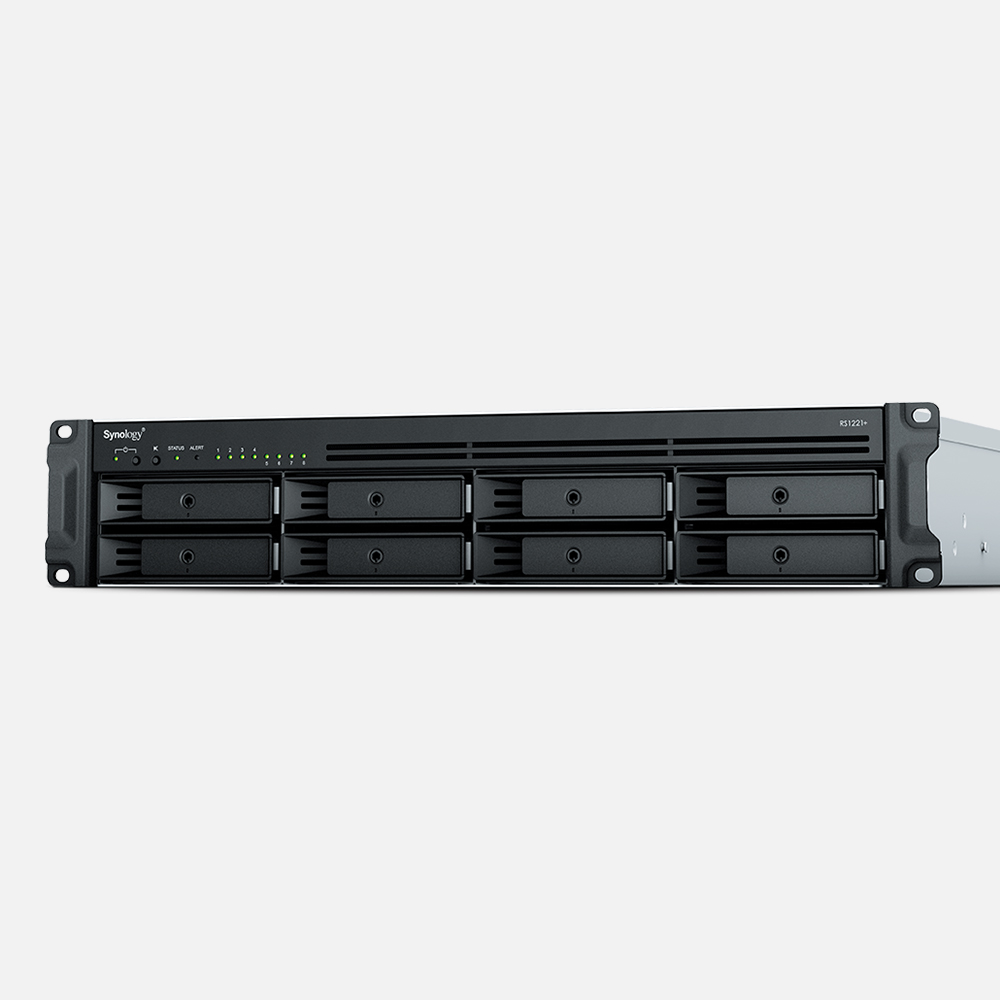
Synology RackStation RS1221RP+ 8 bays Nas

Synology RackStation RS1221RP+ 8 bays Nas A Powerful Storage Solution for Businesses and IT Enthusiasts

The RS1221RP+ provides high-performance storage with 8 bays, designed to meet the needs of businesses and IT enthusiasts. It offers enhanced redundancy and service continuity features, ensuring data protection and reliable operations. With its scalability and robust architecture, this NAS is an ideal solution for growing organizations requiring secure and efficient data management.

Estimated Delivery :
Jan 23 - Jan 26
Free Shipping & Returns :
On orders above $79

More payment Options

Description

Compact and reliable

The RS1221RP+/RS1221+, at only 30 to 38 centimeters deep, is built for space-sensitive deployments. Boasting over 100K 4K random read IOPS and 2,315 MB/s sequential read1, the RS1221RP+/RS1221+ is equipped to handle heavy workloads in data-intensive environments. The RS1221RP+ additionally features an extra level of protection with redundant power supplies.

Compute

AMD Ryzen™ V1500B quad-core 2.2 GHz

Throughput

2,300 MB/s seq. read 100K 4K random read IOPS1

Memory

4 GB ECC DDR4 Up to 32 GB

Compact

30cm depth (38cm for RP model)

A compact design for space efficiency

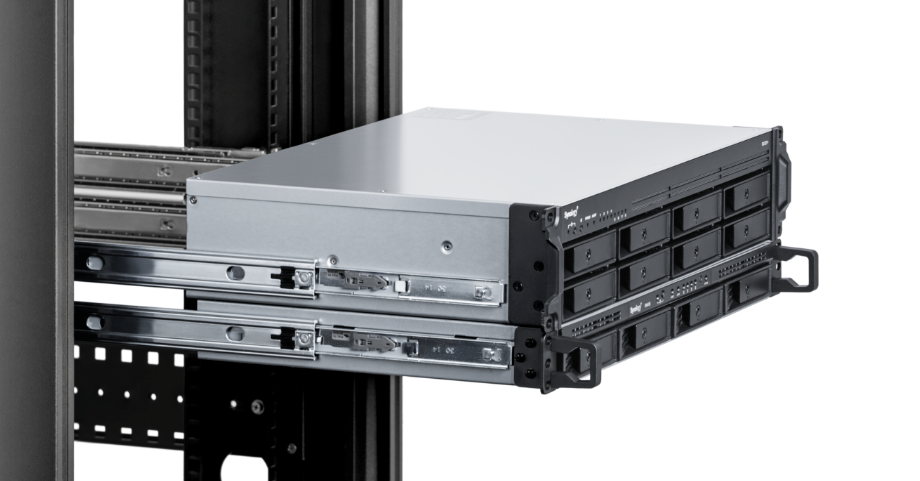
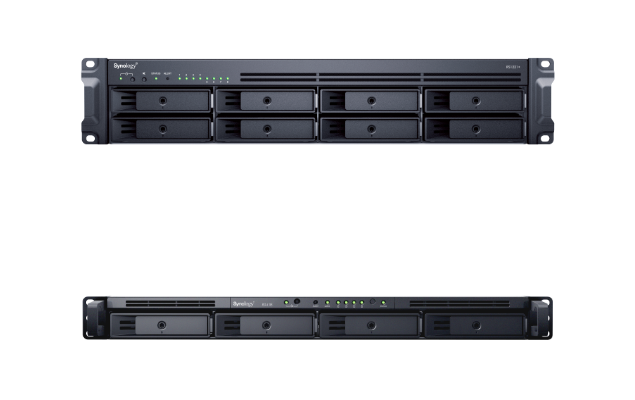
The RS1221+ and its RX418 expansion units are designed to help you save space in compact deployments. At only 30 centimeters, half the length of a typical 2U unit, it fits perfectly snug onto 2-post or shallow rackmount enclosures. The RS1221RP+ with dual power supplies comes in at 38 cm, also fitting most shallow depth enclosures.2

Built for reliability

Maximize service availability

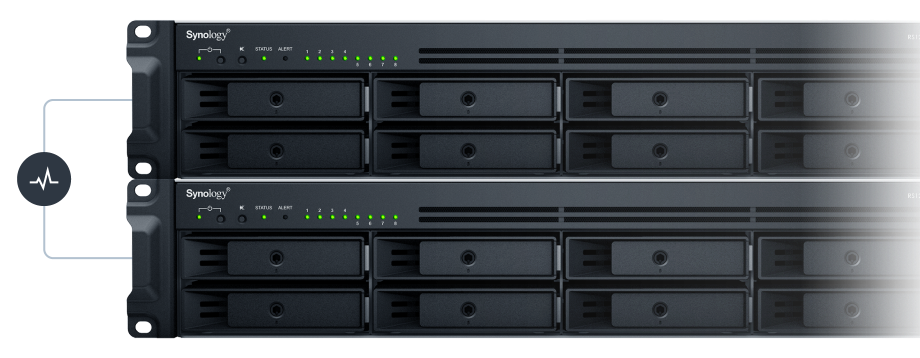
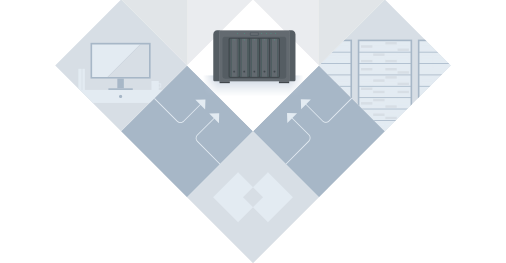
When paired with another identical unit, Synology High Availability enables automatic minute-level failover between two clustered servers in the event of a server failure to minimize service downtime.

Data integrity and protection

ECC memory and the Btrfs file system bring higher reliability and snapshot capabilities to help prevent data corruption and simplify data protection.

High performance storage for anything

Up to 2,315/1,147 MB/s sequential read and write throughput and over 100K/54K random read/write IOPS ensures ample performance for demanding workloads.1

With room to grow with you

Easily upgrade the RS1221RP+/RS1221+ to match your usage environment, whether it’s for performance, faster networking, or higher storage capacity.

SSD Cache

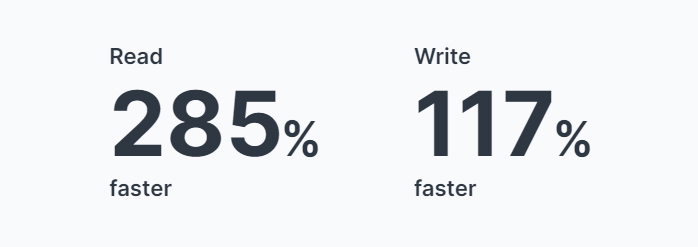
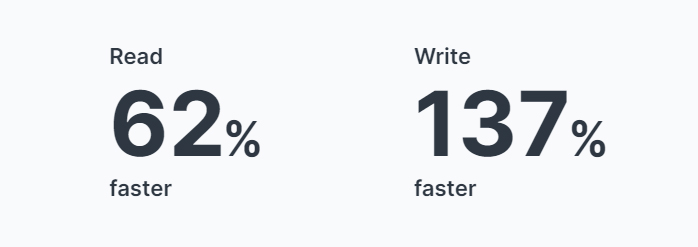
Boost read/write IOPS over HDD-only arrays by 16X or more with NVMe or SATA SSD Cache.

10GbE Ready

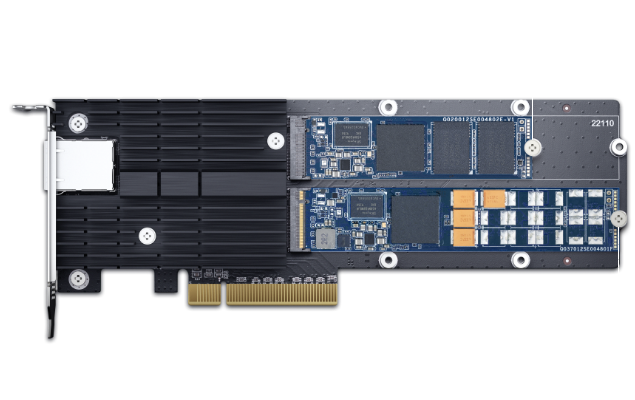
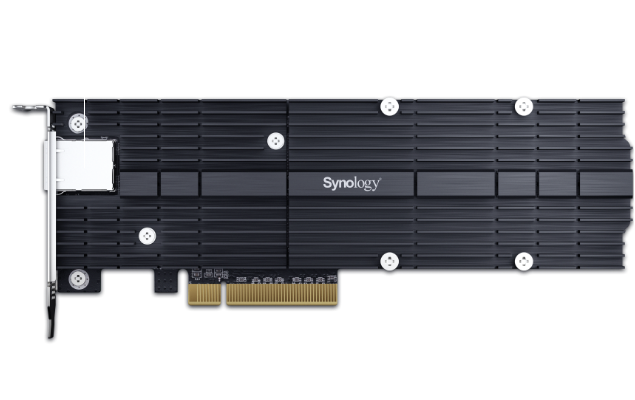
Improve I/O with faster SFP+ or RJ-45 networking.

Storage Expansion

Expand to 12 drive bays with a RX418 expansion unit.

Data protection solutions, built-in

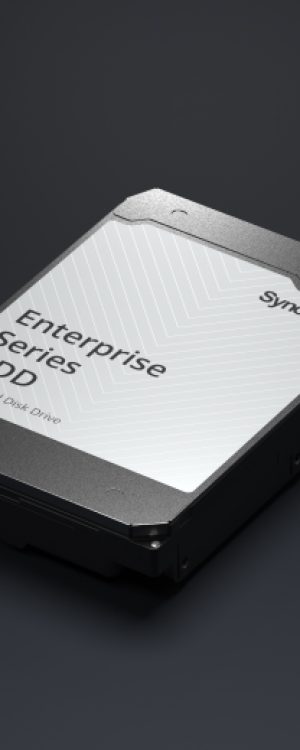
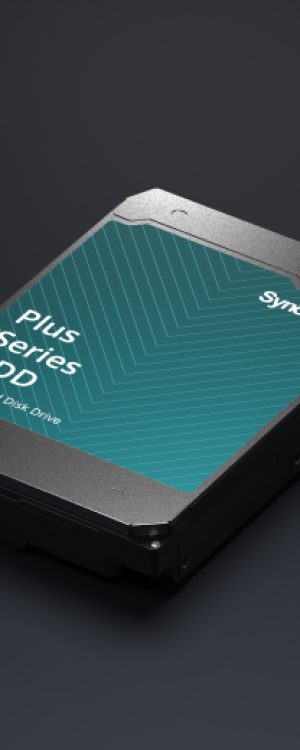
Works best with Synology drives

Engineered to handle intensive 24/7 workloads, Synology drives consistently deliver top-grade performance.

HDD
Enterprise Series 3.5″ SATA
Plus Series 3.5″ SATA
SSD
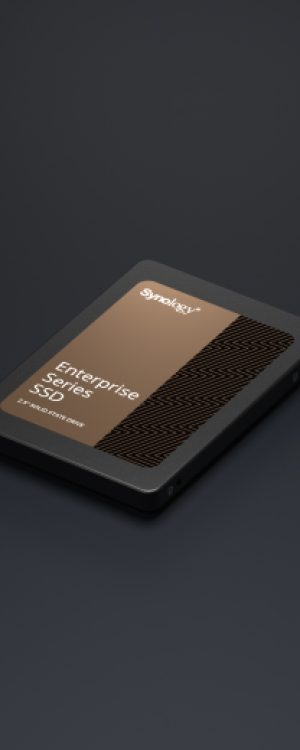
Enterprise Series 2.5″ SATA
Enterprise Series M.2 NVMe
enterprise-hat-img
plus-hat3310
enterprise-sat-img
enterprise-snv3500

Powered by Synology DiskStation Manager

Synology High Availability

Seamless transition between clustered servers in the event of a server failure to minimize the impact on applications.

Virtual Machine Manager

Run various operating systems in isolated sandboxes. Seamlessly clone, store, and migrate virtual machines.

Synology Drive

Instantly access your NAS files across multiple devices whenever you want, wherever you are.

Central Management System

Conveniently manage your fleet of Synology NAS from a centralized console.

Surveillance Station

Intelligent and comprehensive surveillance solution to record and monitor your environment.

Collaboration Suite

Satisfy all team collaboration needs behind the safety of your own private cloud with Synology Office, Calendar, and Chat.

We have you covered

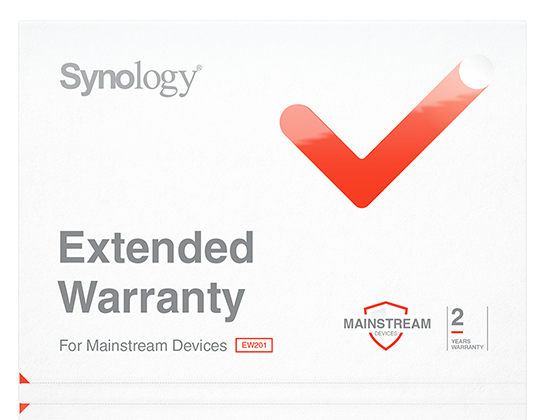
RS1221RP+/RS1221+ is backed by Synology’s three-year hardware warranty. An optional two-year extended warranty that extends coverage to five years is available in select regions.

RackStation RS1221RP+

RackStation RS1221+

Hardware Specs

Hardware SpecificationsRS1221RP+RS1221+
CPUCPU ModelAMD Ryzen V1500BAMD Ryzen V1500B
CPU Quantity11
CPU Core44
CPU Architecture64-bit64-bit
CPU Frequency2.2 GHz2.2 GHz
Hardware Encryption EngineYESYES
MemorySystem Memory4 GB DDR4 ECC SODIMM4 GB DDR4 ECC SODIMM
Memory Module Pre-installed4 GB (4 GB x 1)4 GB (4 GB x 1)
Total Memory Slots22
Maximum Memory Capacity32 GB (16 GB x 2)32 GB (16 GB x 2)
Notes
  • Synology reserves the right to replace memory modules with the same or higher frequency based on supplier's product life cycle status. Rest assured that the compatibility and stability have been strictly verified with the same benchmark to ensure identical performance.
  • Please select Synology memory modules for optimum compatibility and reliability. Synology will not provide complete product warranty or technical support if non-Synology memory modules are used for memory expansion.
  • For more information about the recommended memory configurations, please check the Hardware Installation Guide of your Synology product.
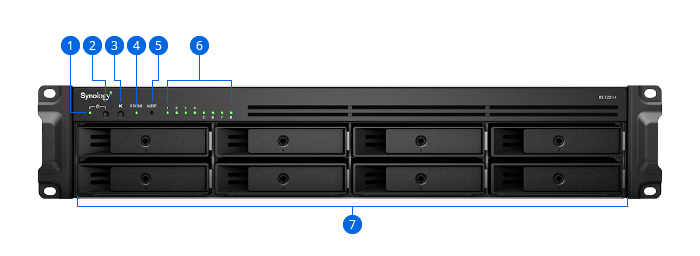
StorageDrive Bays88
Maximum Drive Bays with Expansion Unit12 (RX418 x 1)12 (RX418 x 1)
Compatible Drive Type*
  • 3.5" SATA HDD
  • 2.5" SATA HDD
  • 2.5" SATA SSD
  • 3.5" SATA HDD
  • 2.5" SATA HDD
  • 2.5" SATA SSD
Hot Swappable Drive*YESYES
Notes"Compatible drive type" indicates drives that have been tested to be compatible with Synology products. This term does not indicate the maximum connection speed of each drive bay.
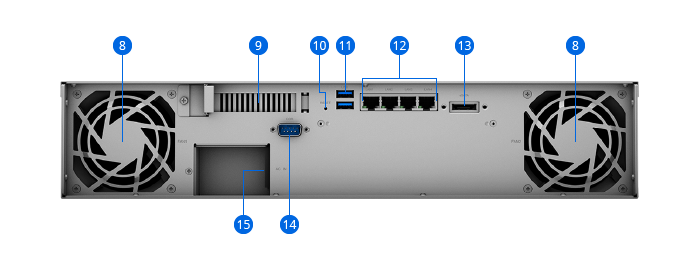
External PortsRJ-45 1GbE LAN Port44
USB 3.2 Gen 1 Port*22
Expansion Port11
Expansion Port TypeeSATAeSATA
NotesThe USB 3.0 standard was renamed to USB 3.2 Gen 1 by the USB Implementers Forum (USB-IF) in 2019.
PCIePCIe Expansion1 x Gen3 x8 slot (x4 link)1 x Gen3 x8 slot (x4 link)
AppearanceForm Factor (RU)2U2U
Size (Height x Width x Depth)88 mm x 482 mm x 407.5 mm88 mm x 482 mm x 306.6 mm
Weight8.4 kg6.9 kg
Rack Installation Support*4-post 19" rack (Synology Rail Kit - RKS-02)
  • 4-post 19" rack (Synology Rail Kit - RKM114/RKS-02)
  • 2-post 19" rack (direct mounting)
NotesThe rail kit is sold separately
OthersSystem Fan80 mm x 80 mm x 2 pcs80 mm x 80 mm x 2 pcs
Fan Speed Mode
  • Full-Speed Mode
  • Cool Mode
  • Quiet Mode
  • Full-Speed Mode
  • Cool Mode
  • Quiet Mode
Power RecoveryYESYES
Noise Level*53.5 dB(A)37.8 dB(A)
Scheduled Power On / OffYESYES
Wake on LAN / WANYESYES
Power Supply Unit / Adapter350 watts250 watts
Redundant Power SupplyYES-
AC Input Power Voltage100 V to 240 V AC100 V to 240 V AC
Power Frequency50/60 Hz, Single Phase50/60 Hz, Single Phase
Power Consumption61.94 watts (Access)
29.98 watts (HDD Hibernation)
49.89 watts (Access)
22.64 watts (HDD Hibernation)
British Thermal Unit211.35 BTU/hr (Access)
102.30 BTU/hr (HDD Hibernation)
170.23 BTU/hr (Access)
77.25 BTU/hr (HDD Hibernation)
Notes
  • Power consumption is measured when it is fully loaded with Western Digital 1TB WD10EFRX hard drive(s).
  • Noise Level Testing Environment: Fully loaded with Seagate 2TB ST2000VN000 hard drive(s) in the idle state. Two G.R.A.S. Type 40AE microphones, each set up 1 meter away from the Synology NAS at the front and rear. Background noise: 16.49-17.51 dB(A); Temperature: 24.25-25.75˚C; Humidity: 58.2-61.8%
TemperatureOperating Temperature0°C to 35°C (32°F to 95°F)0°C to 35°C (32°F to 95°F)
Storage Temperature-20°C to 60°C (-5°F to 140°F)-20°C to 60°C (-5°F to 140°F)
Relative Humidity5% to 95% RH5% to 95% RH
Certification
  • FCC
  • CE
  • BSMI
  • VCCI
  • RCM
  • EAC
  • CCC
  • KC
  • UL
  • FCC
  • CE
  • BSMI
  • VCCI
  • RCM
  • EAC
  • CCC
  • KC
  • UL
Warranty 3-year hardware warranty, extendable to 5 years with EW2023-year hardware warranty, extendable to 5 years with EW202
Notes
  • The warranty period starts from the purchase date as stated on your purchase receipt.
  • EW201/EW202 is only available in Asia, Africa, and Oceania. Refer to the Extended Warranty website for details on supported countries/regions.
Environment RoHS CompliantRoHS Compliant
Packaging Content
  • Main Unit X 1
  • Accessory Pack X 1
  • AC Power Cord X 2
  • Quick Installation Guide X 1
  • Main Unit X 1
  • Accessory Pack X 1
  • AC Power Cord X 1
  • C13 to C14 power cord x 1
  • Quick Installation Guide X 1
Optional Accessories
  • DDR4 ECC SODIMM: D4ES01-4G/D4ES01-8G/D4ECSO-2666-16G
  • Expansion Units: RX418
  • Enterprise Series 3.5" SATA HDD: HAT5300 Series
  • Plus Series 3.5" SATA HDD: HAT3300 Series
  • Enterprise Series 2.5" SATA SSD: SAT5200 Series
  • M.2 SSD & 10GbE Combo Adapter Card: E10M20-T1
  • M.2 SSD Adapter Card: M2D20/M2D18
  • 25GbE Network Interface Card: E25G30-F2
  • 10GbE Network Interface Card: E10G21-F2/E10G30-T2/E10G18-T1
  • Rail Kit Sliding: RKS-02
  • DDR4 ECC SODIMM: D4ES01-4G/D4ES01-8G/D4ECSO-2666-16G
  • Expansion Units: RX418
  • Enterprise Series 3.5" SATA HDD: HAT5300 Series
  • Plus Series 3.5" SATA HDD: HAT3300 Series
  • Enterprise Series 2.5" SATA SSD: SAT5200 Series
  • M.2 SSD & 10GbE Combo Adapter Card: E10M20-T1
  • M.2 SSD Adapter Card: M2D20/M2D18
  • 25GbE Network Interface Card: E25G30-F2
  • 10GbE Network Interface Card: E10G21-F2/E10G30-T2/E10G18-T1
  • Rail Kit Sliding: RKS-02
  • Rail Kit Mounted: RKM114*
Notes
  • Upgrade DSM to version 7.2-64551 or onward before installing M2D18.
  • All memory modules will operate at the maximum frequency specified by the CPU manufacturer.
  • Certain items may not be available in your location. Please contact your local distributors for more information.
  • Upgrade DSM to version 7.2-64551 or onward before installing M2D18.
  • All memory modules will operate at the maximum frequency specified by the CPU manufacturer.

Software Specs

DSM SpecificationsRS1221RP+RS1221+
Storage ManagementMaximum Single Volume Size108 TB108 TB
Maximum Internal Volume Number6464
SSD Read/Write Cache (Determining cache size) YESYES
SSD TRIMYESYES
Supported RAID Type
  • Synology Hybrid RAID
  • Basic
  • JBOD
  • RAID 0
  • RAID 1
  • RAID 5
  • RAID 6
  • RAID 10
  • Synology Hybrid RAID
  • Basic
  • JBOD
  • RAID 0
  • RAID 1
  • RAID 5
  • RAID 6
  • RAID 10
RAID Migration
  • Basic to RAID 1
  • Basic to RAID 5
  • RAID 1 to RAID 5
  • RAID 5 to RAID 6
  • Basic to RAID 1
  • Basic to RAID 5
  • RAID 1 to RAID 5
  • RAID 5 to RAID 6
Volume Expansion with Larger HDDs
  • Synology Hybrid RAID
  • RAID 1
  • RAID 5
  • RAID 6
  • RAID 10
  • Synology Hybrid RAID
  • RAID 1
  • RAID 5
  • RAID 6
  • RAID 10
Volume Expansion by Adding a HDD
  • Synology Hybrid RAID
  • JBOD
  • RAID 5
  • RAID 6
  • Synology Hybrid RAID
  • JBOD
  • RAID 5
  • RAID 6
Global Hot Spare Supported RAID Type
  • Synology Hybrid RAID
  • RAID 1
  • RAID 5
  • RAID 6
  • RAID 10
  • Synology Hybrid RAID
  • RAID 1
  • RAID 5
  • RAID 6
  • RAID 10
Notes
  • Usable capacity for each volume will be lower than the maximum volume size and is dependent on the filesystem and the amount of system metadata stored.
  • Each internal volume (may consist of multiple drives) is expandable up to 108TB.
File SystemInternal Drives
  • Btrfs
  • ext4
  • Btrfs
  • ext4
External Drives
  • Btrfs
  • ext4
  • ext3
  • FAT
  • NTFS
  • HFS+
  • exFAT
  • Btrfs
  • ext4
  • ext3
  • FAT
  • NTFS
  • HFS+
  • exFAT
NotesexFAT Access can be installed for free from Package Center in DSM 7.0. In DSM 6.2 or earlier versions, exFAT Access needs to be purchased in Package Center.
File ServicesFile Protocol
  • SMB
  • AFP
  • NFS
  • FTP
  • WebDAV
  • Rsync
  • SMB
  • AFP
  • NFS
  • FTP
  • WebDAV
  • Rsync
Maximum Concurrent SMB/AFP/FTP Connections1,0001,000
Maximum Concurrent SMB/AFP/FTP Connections (with RAM expansion)2,0002,000
Windows Access Control List (ACL) IntegrationYESYES
NFS Kerberos AuthenticationYESYES
Notes
  • Regarding data concerning tests with RAM expansion, all memory slots are installed with the maximum capacity of supported RAM.
  • The testing standard was based on the maximum number of concurrent connections supported by this model. During the testing, 25% of the connections were used to transfer files concurrently. The transfer process guaranteed that the connections were not interrupted; the minimum transfer speed was not guaranteed.
Account & Shared FolderMaximum Local User Accounts2,0482,048
Maximum Local Groups256256
Maximum Shared Folder512512
Maximum Shared Folder Sync Tasks1616
Hybrid ShareHybrid Share Folder Number1010
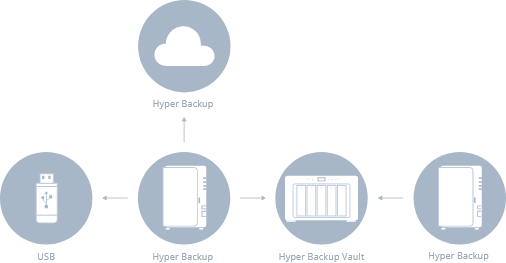
Hyper BackupData & Folder BackupYESYES
Entire System BackupYESYES
NotesFull-system backup requires DSM 7.2 or later.
High AvailabilitySynology High AvailabilityYESYES
Log CenterYESYES
Syslog Events per Second1,0001,000
VirtualizationVMware ESXi 6.5 and VAAIYESYES
Windows Server 2016YESYES
Windows Server 2019YESYES
Windows Server 2022YESYES
Citrix ReadyYESYES
OpenStackYESYES
General SpecificationsSupported ProtocolsSMB1 (CIFS), SMB2, SMB3, NFSv3, NFSv4, NFSv4.1, NFS Kerberized sessions, iSCSI, HTTP, HTTPs, FTP, SNMP, LDAP, CalDAVSMB1 (CIFS), SMB2, SMB3, NFSv3, NFSv4, NFSv4.1, NFS Kerberized sessions, iSCSI, HTTP, HTTPs, FTP, SNMP, LDAP, CalDAV
Supported Browsers
  • Chrome
  • Firefox
  • Edge
  • Safari
  • Chrome
  • Firefox
  • Edge
  • Safari
Supported LanguageEnglish, Deutsch, Français, Italiano, Español, Dansk, Norsk, Svenska, Nederlands, Русский, Polski, Magyar, Português do Brasil, Português Europeu, Türkçe, Český, ภาษาไทย, 日本語, 한국어, 繁體中文, 简体中文English, Deutsch, Français, Italiano, Español, Dansk, Norsk, Svenska, Nederlands, Русский, Polski, Magyar, Português do Brasil, Português Europeu, Türkçe, Český, ภาษาไทย, 日本語, 한국어, 繁體中文, 简体中文
NotesFor an updated list of supported browser versions, check the DSM Technical Specifications.
Add-on Packages view the complete package list
Antivirus by McAfee (Trial)YESYES
Central Management SystemYESYES
Synology ChatYESYES
Suggested Maximum Users1,5001,500
Suggested Concurrent Users150150
NotesFor tested models with expandable memory, the maximum amount of RAM was installed.
Download StationYESYES
Maximum Concurrent Download Tasks8080
SAN ManagerYESYES
Maximum iSCSI Target Number128128
Maximum LUN256256
LUN Clone/Snapshot, Windows ODXYESYES
NotesiSCSI Manager has been renamed to SAN Manager in DSM 7.0.
Synology MailPlus / MailPlus ServerYESYES
Free Email Accounts5(Additional accounts require purchase of licenses)5(Additional accounts require purchase of licenses)
Suggested Maximum Users750750
Suggested Concurrent Users150150
Maximum Server Performance1,484,000 emails per day, approx. 45GB1,484,000 emails per day, approx. 45GB
Notes
  • Models with more than 4 bays were installed with two SSDs for SSD cache.
  • For tested models with expandable memory, the maximum amount of RAM was installed.
  • The performance of the mail system will slightly decrease in high-availability mode due to data synchronization between the two servers.
  • Functions that were enabled in all of the tests above: anti-spam, anti-virus, DNSBL, greylist, content scan, full-text search (English only).
Media ServerYESYES
DLNA ComplianceYESYES
Synology PhotosYESYES
Facial RecognitionYESYES
Object RecognitionYESYES
Snapshot ReplicationYESYES
Maximum Snapshots per Shared Folder1,0241,024
Maximum of System Snapshots65,53665,536
Surveillance StationYESYES
Default Licenses2 (Additional cameras require purchase of licenses)2 (Additional cameras require purchase of licenses)
Suggested Maximum IP Cameras and Total FPS (H.264)
  • 720p: 40 channels, 1200 FPS
  • 1080p: 40 channels, 1050 FPS
  • 3M: 40 channels, 600 FPS
  • 5M: 40 channels, 440 FPS
  • 4K: 32 channels, 320 FPS
  • 720p: 40 channels, 1200 FPS
  • 1080p: 40 channels, 1050 FPS
  • 3M: 40 channels, 600 FPS
  • 5M: 40 channels, 440 FPS
  • 4K: 32 channels, 320 FPS
Suggested Maximum IP Cameras and Total FPS (H.265)
  • 720p: 40 channels, 1200 FPS
  • 1080p: 40 channels, 1200 FPS
  • 3M: 40 channels, 1120 FPS
  • 5M: 40 channels, 600 FPS
  • 4K: 40 channels, 480 FPS
  • 720p: 40 channels, 1200 FPS
  • 1080p: 40 channels, 1200 FPS
  • 3M: 40 channels, 1120 FPS
  • 5M: 40 channels, 600 FPS
  • 4K: 40 channels, 480 FPS
Notes
  • Performance figures are obtained from testing conducted with the device fully populated with drives, with their default memory configuration, and under a continuous recording setup. Actual system capabilities may vary based on configuration, drive performance, enabled features, and the presence of additional workloads.
  • Use NVR Selector to quickly find a suitable model based on your requirements.
  • The maximum number of camera stream outputs is 2 times the suggested maximum number of IP cameras.
Synology DriveYESYES
Recommended Number of Concurrent Sync Clients550 (the number of connections that can be maintained when the recommended number of hosted files was reached)550 (the number of connections that can be maintained when the recommended number of hosted files was reached)
Recommended Number of Hosted Files50,000,000 (applies to files indexed or hosted bySynology Drive. For file access through other standard protocols, refer to the File Services section above)50,000,000 (applies to files indexed or hosted bySynology Drive. For file access through other standard protocols, refer to the File Services section above)
Notes
  • Exceeding the recommended numbers above will not block application operations, but may result in longer response time.
  • Utilizing SSD cache can significantly improve performance.
  • For tested models with expandable memory, the maximum amount of RAM was installed.
  • Btrfs file system and non-encrypted shared folders were used during the aforementioned testing.
Synology OfficeYESYES
Suggested Maximum Users4,5004,500
Suggested Concurrent Users1,8001,800
Notes
  • Multiple files were opened for testing and each file was edited by 30 users simultaneously.
  • For tested models with expandable memory, the maximum amount of RAM was installed.
  • Client performance may affect maximum simultaneous editing users. Client PCs used for testing: Intel Core i3-3220 / 8GB RAM
Video StationYESYES
Virtual Machine ManagerYESYES
Recommended Virtual Machine Instances88
Recommended Virtual DSM Number8 (including 1 Free License)8 (including 1 Free License)
NotesThe specifications vary depending on system configuration and memory size.
VPN ServerYESYES
Maximum Connections4040
X

Your Shopping cart

Close